Celestial Navigation
Navigate by the stars, sun, and moon — no GPS required.
New to cel nav? Start with The Daily Navigation Cycle — the simple loop before the detail.
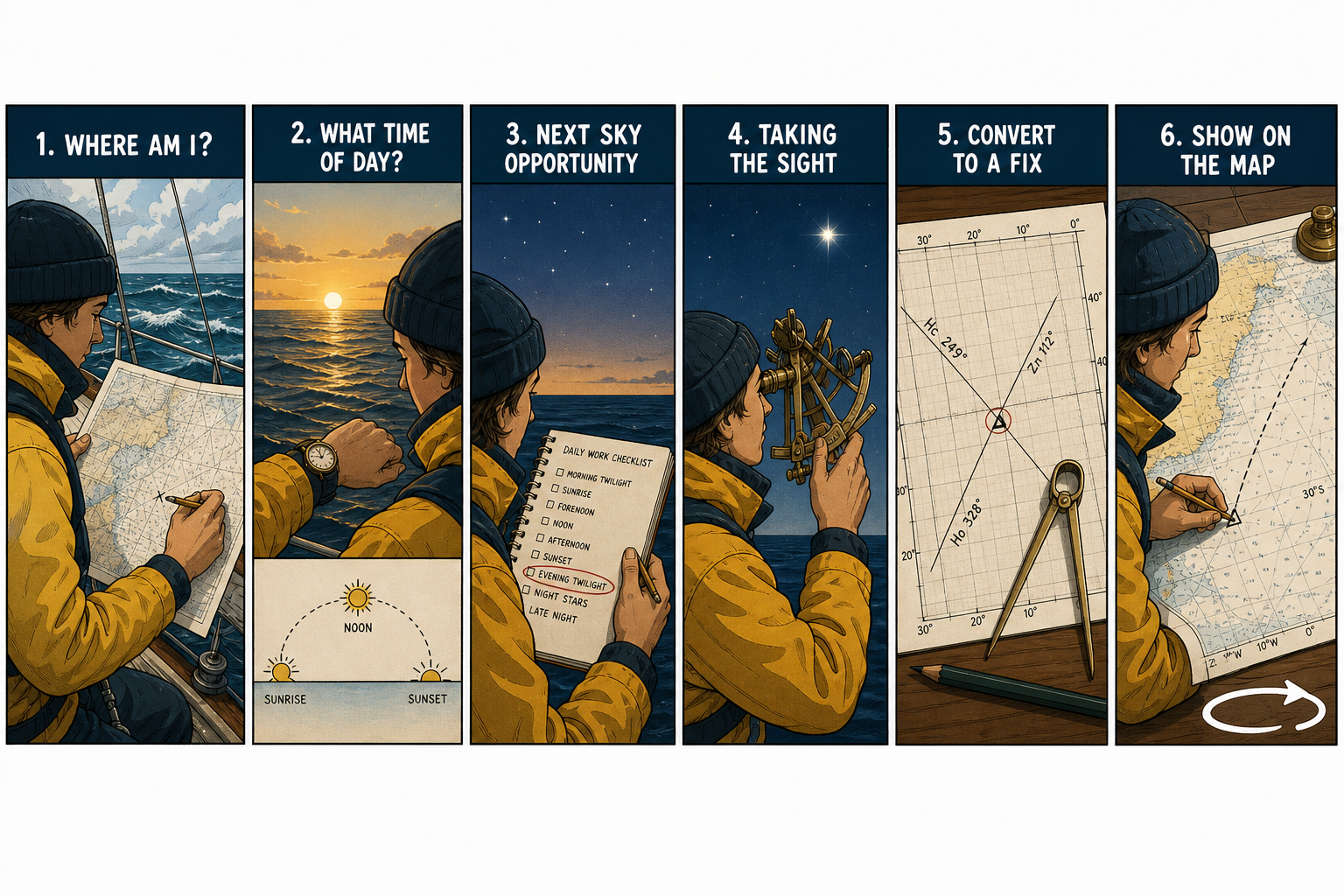
Overview
Celestial navigation is the practice of determining your position at sea using observations of celestial bodies — the sun, moon, planets, and stars. In FairWinds, cel nav is fully modeled and pairs naturally with No GPS mode, where lat/long readouts are disabled and you must find your own way.
The core skill is building a daily rhythm of observations that keeps your position estimate accurate. A good navigator is never more than 12 hours from their last confirmed fix.
The Sky Tool
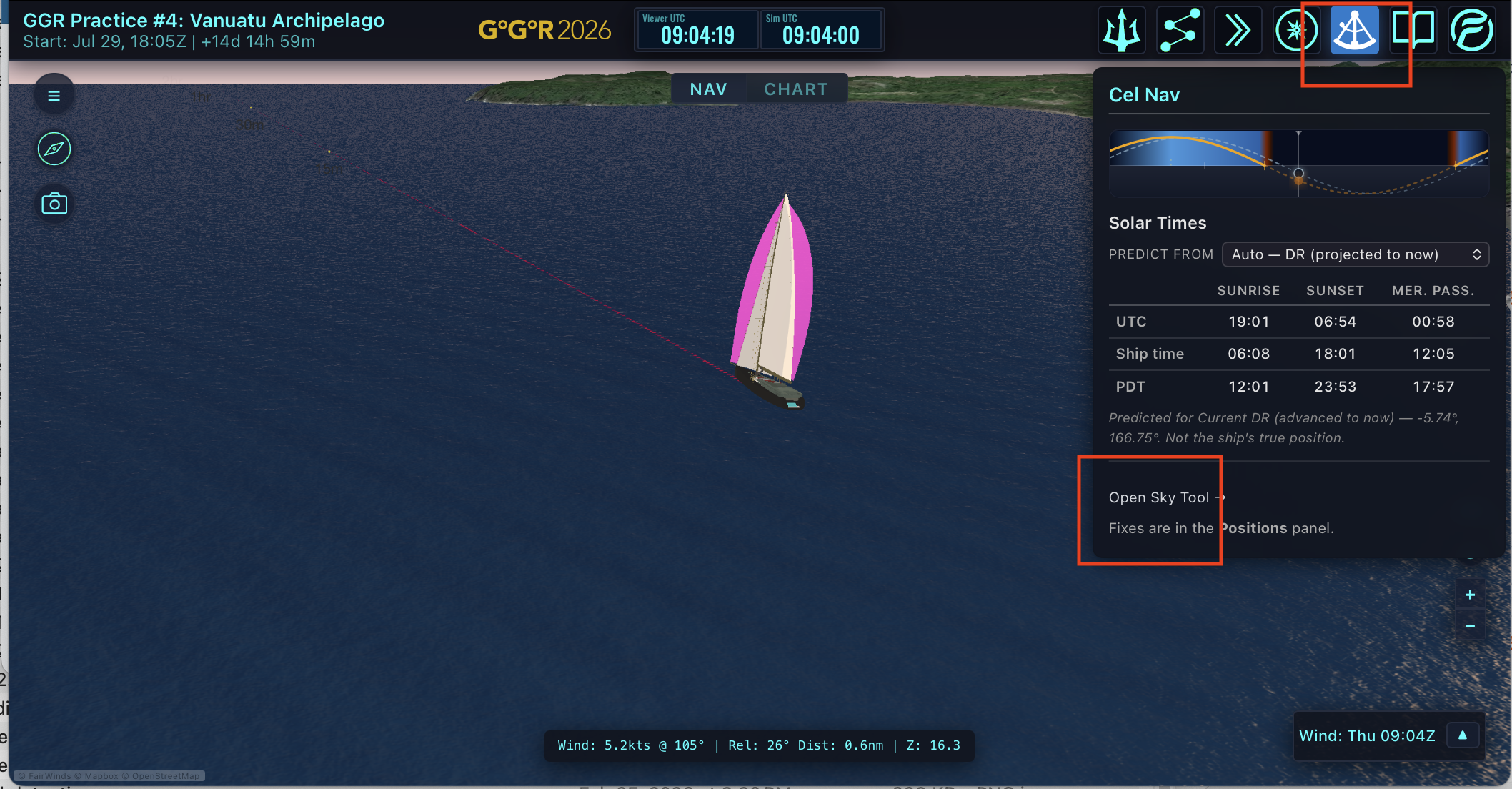
The Sky Tool is your in-game sextant. It lets you observe celestial bodies and compute lines of position (LOPs) that you can cross to establish a fix. You can open up the sky tool directly from https://fairwinds.world/sky or in the race viewer.
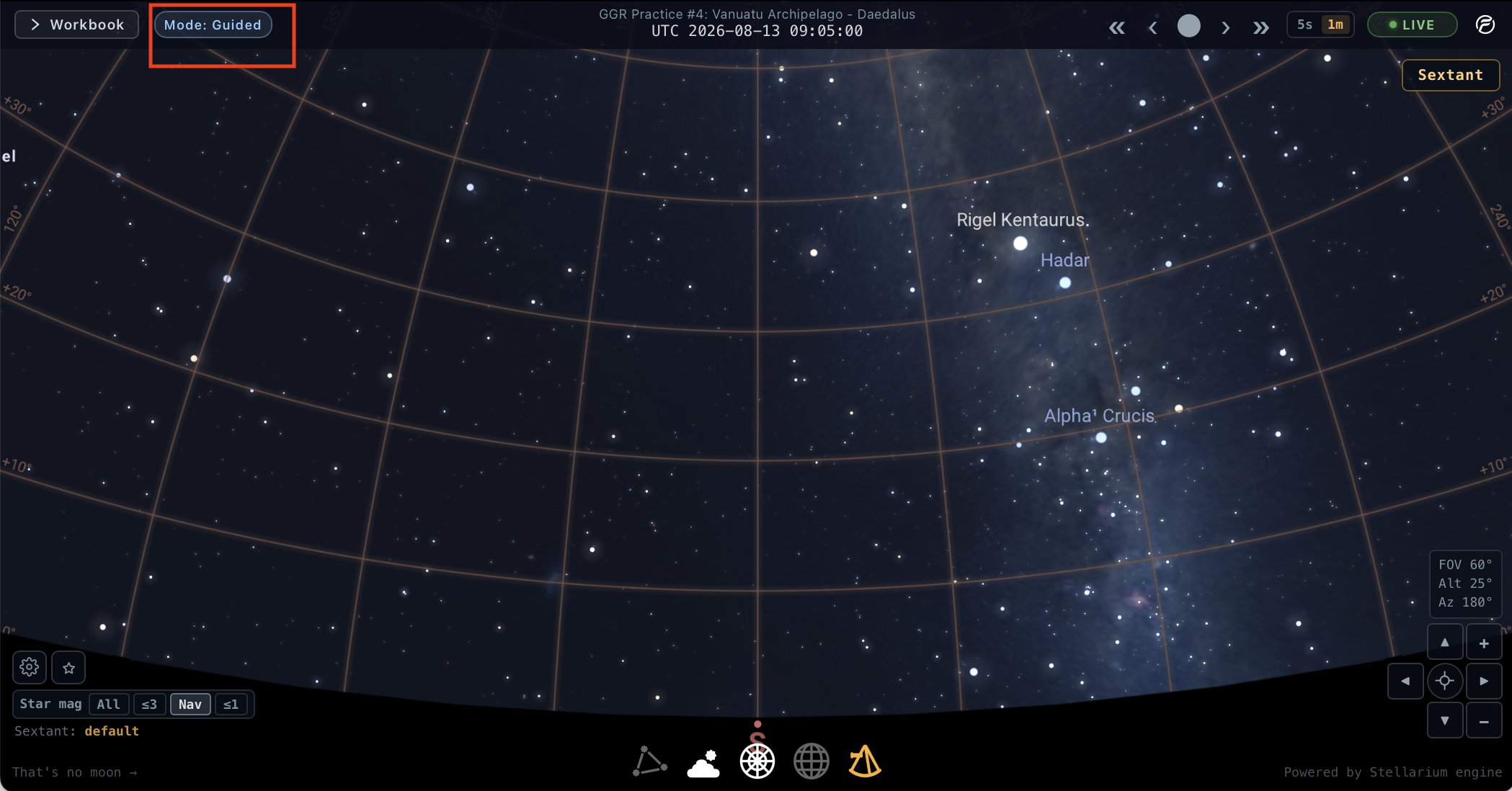
FairWinds offers two navigation modes — Guided (FairWinds applies corrections and does the reduction; instrument precision/IE ignored) and Expert (you correct and reduce; live precision and index-error drift). Both use the same sky engine and record enriched sight data.
Expert in seven steps: switch to Expert → set AP → Check IE (save Last IC) → take the sight → Correct Hs (IC, refraction, SD, parallax) → reduce outside FairWinds → Enter Fix. Full list: Navigation Modes → Expert setup.
Navigation Modes — Guided vs Expert →
Daily cycle
In the Sky Tool, open the Workbook. Solar Times shows Sunrise / Sunset / Mer. Pass. for your position reference; the Daily Schedule checklist marks which observation windows you’ve completed (guide only — not a requirement).
Daytime work is mostly on the Sun tab (AM / noon / PM / horizon lon, then Sun-Run Fix). Twilight work is on the Stars tab (LOPs → Compute Fix). Saved marks show up in the race viewer Positions panel.
Types of fixes
- AM Twilight Star Fix
- Sunrise Longitude Fix
- AM Sun Sight
- Noon Sight
- PM Sun Sight / Running Fix
- Sunset Longitude Fix
- PM Twilight Star Fix
Reference
Dead Reckoning (DR)
A DR is a projection of where you will be based on a known position, a heading, and a speed over time. In FairWinds you create DRs in the Positions panel.
The DR is what connects your last fix to your next observation:
- It predicts when the sun will rise, transit, and set
- It gives you a starting point for advancing LOPs in a running fix
- It accumulates error — which is why daily observations matter
The more accurate your last fix, the more useful your DR.
Nav View vs Chart View
FairWinds has two complementary views:
- Nav View — your instrument panel. Heading, speed, apparent wind.
- Chart View — the map. In No GPS mode your fix positions and LOPs appear here. Your true position is hidden until you establish a fix.