Getting Started
New to FairWinds? Here's the fastest way to get sailing.
For an absolute minimum 10-minute crash course (with no actual crashing) - watch the FairWinds Quick Start tutorial: Learning the race viewer controls
Here for the GGR? See the GGR FAQ.
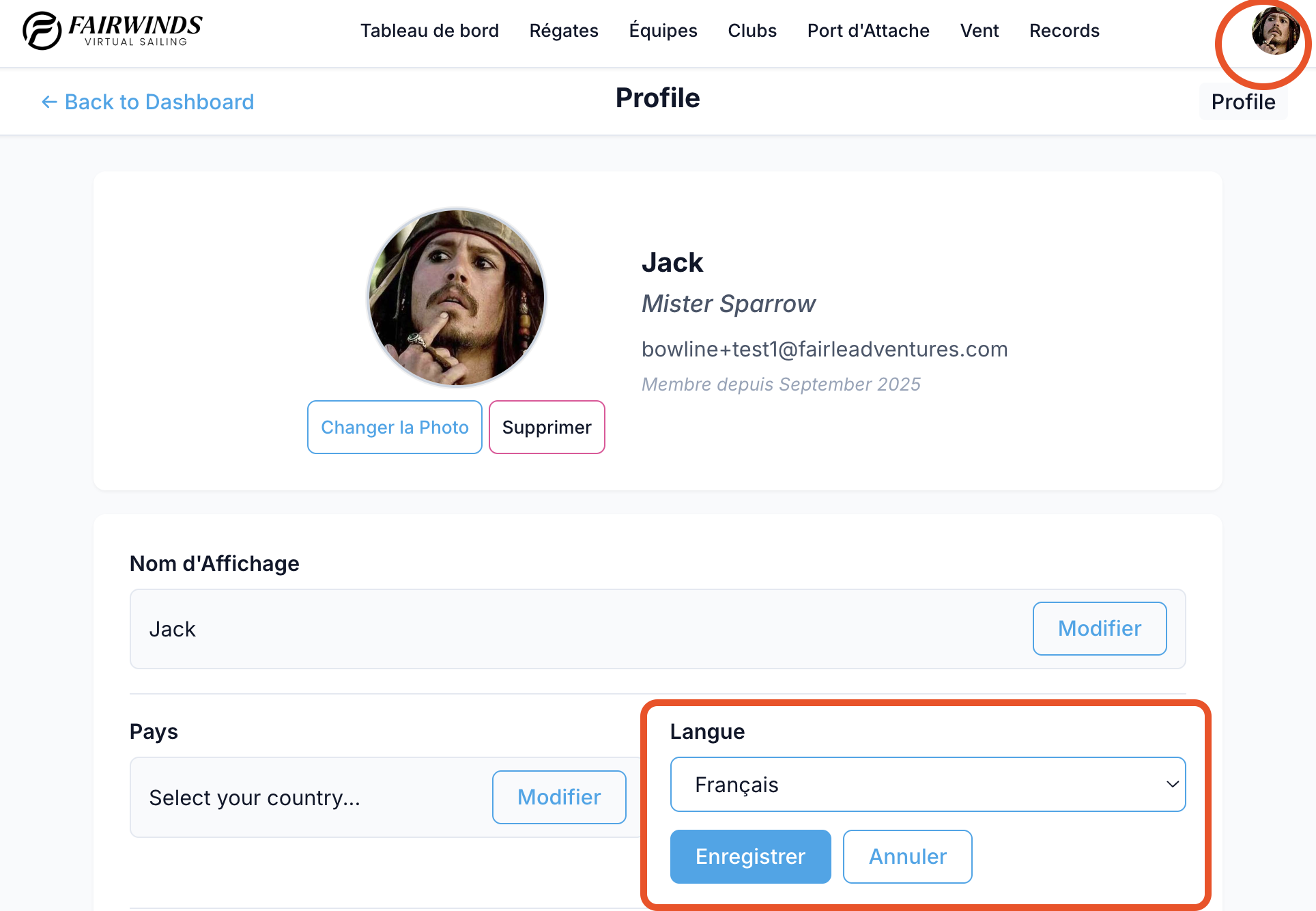
Set Your Language
FairWinds supports English, French, and Italian. Go to your Profile page and set your language preference before you do anything else — it affects the in-game UI, not just the docs.
1. Do a Practice Race
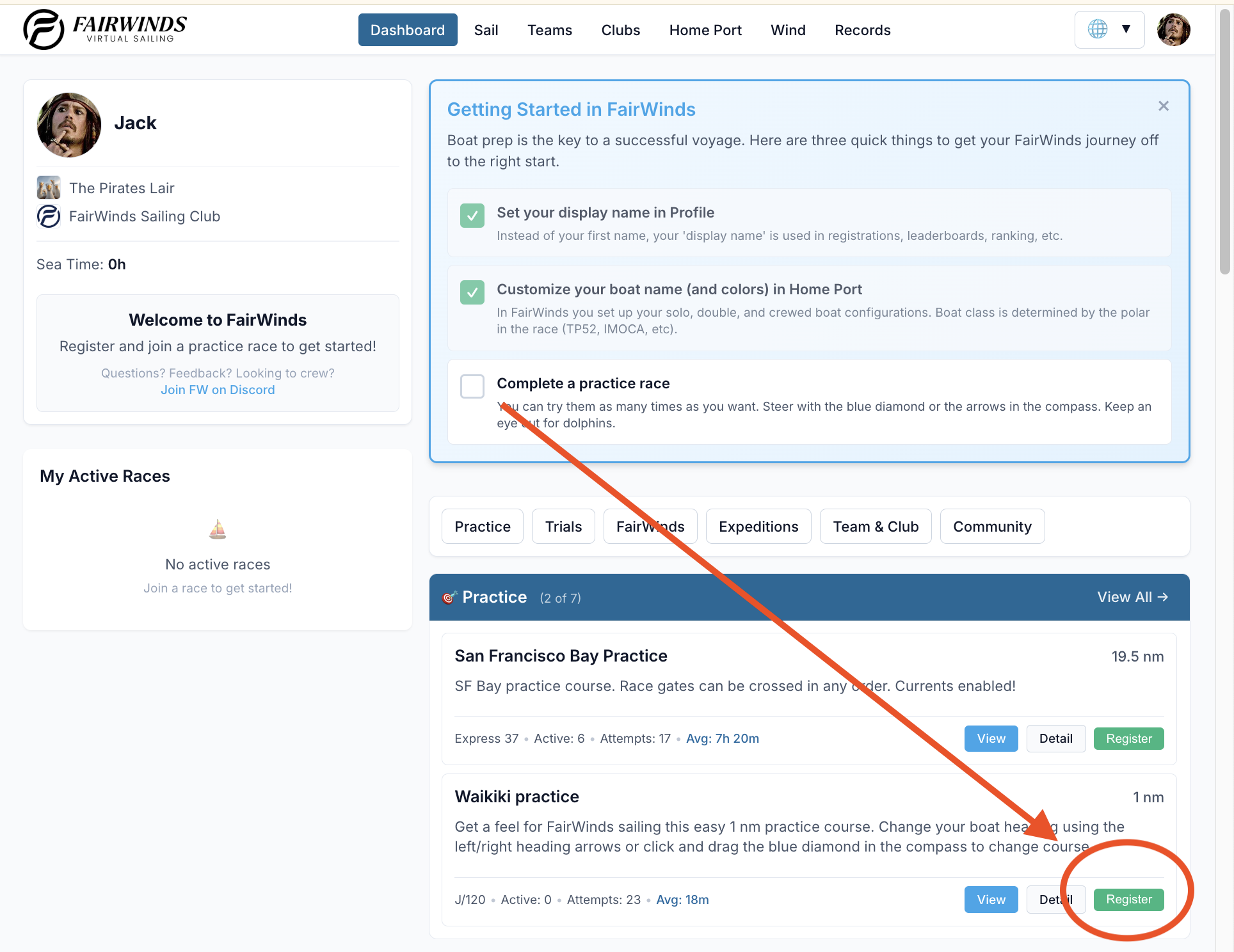
From the dashboard click "Register" on one of the showcased practices. Or click Practice → Show all. The Waikiki practice is 1nm and takes about 10 minutes — perfect for getting your bearings.
2. Click through the In-Game Tutorial
Once you have a race loaded:
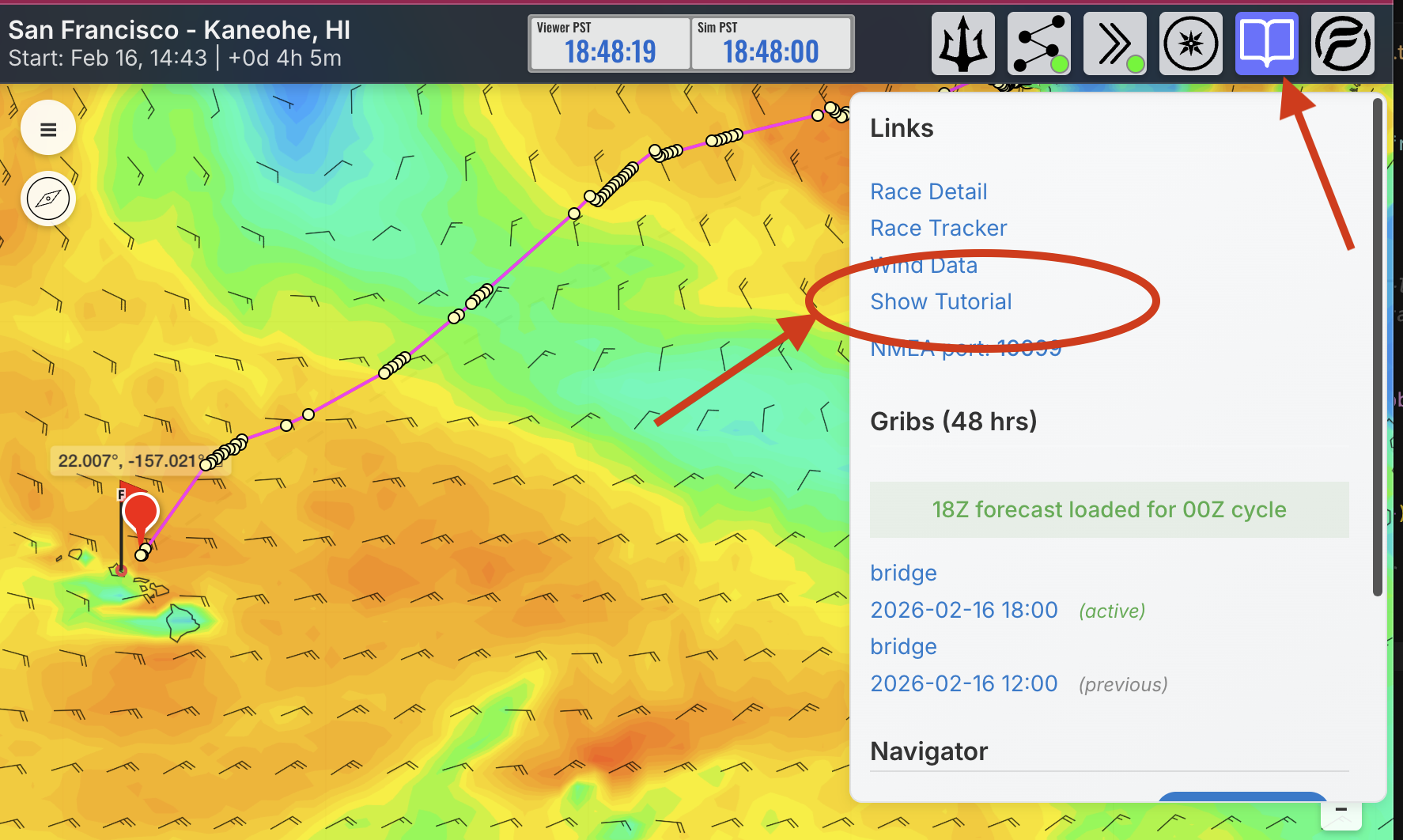
- Click on the Nav menu (the book icon) - there is a short flyover tutorial:
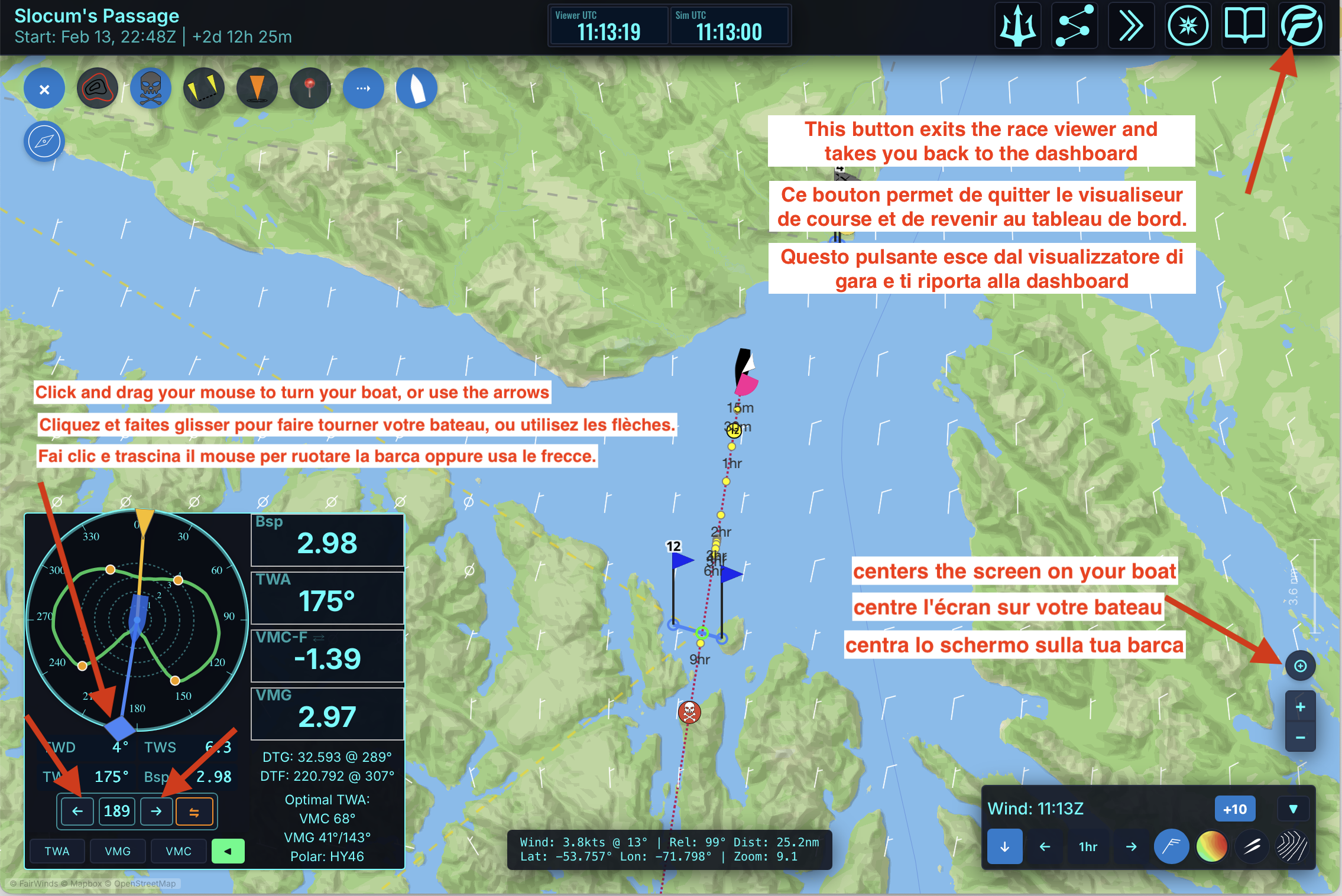
3. Important Buttons
4. Play with the Wind Map
Each button in the wind control panel toggles a wind layer on/off. You don't need to join a race to explore the weather. The wind map has the same controls as the races — great for experimenting without being in a race: https://fairwinds.world/wind/map
Zooming and Panning
FairWinds relies heavily on map interactions and acts just like all online maps. Having a good mouse with a scrollable wheel helps a lot to quickly zoom in/out. Click and hold to pan the map left/right, up/down.
Need Help?
- FairWinds has a very active Discord community with a dedicated channel for help and questions. Please join us: discord.gg/qS3UVQzF6S — ask for @Daedalus / Alex (founder of FW)
- E-mail: contact@fairwinds.world. All languages welcome.