Routing with Currents
By far, the biggest mental adjustment in routing with currents in FairWinds, QTVLM or Expedition is to understand one thing - the route 'line' is NOT your heading anymore. It's the optimal path that your boat should take over ground to get where you want to go.
The Critical Mental Shift
In wind-only simulations, your boat follows the route line perfectly and the TWA is applied to it based on your heading. But with currents your boat has to compenstate for the current in order to reach the waypoint. This adjusted heading is called the 'compensated heading'.
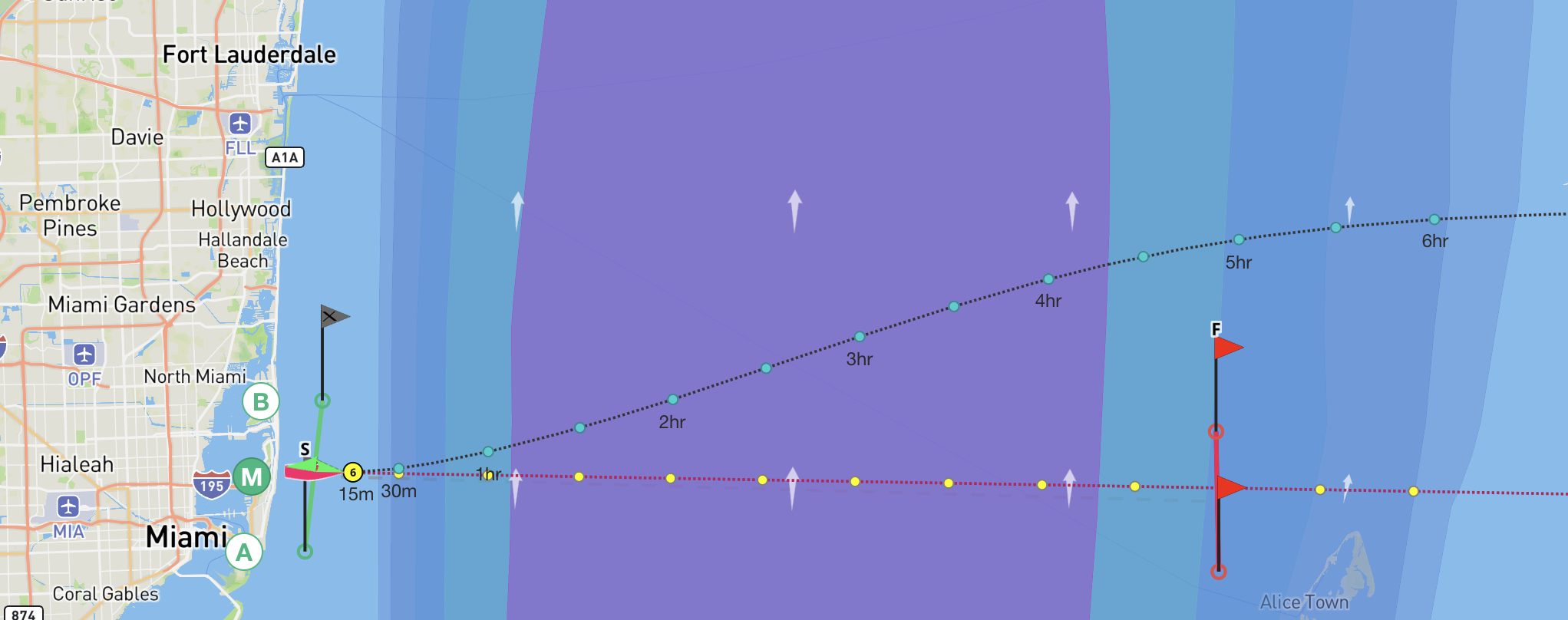
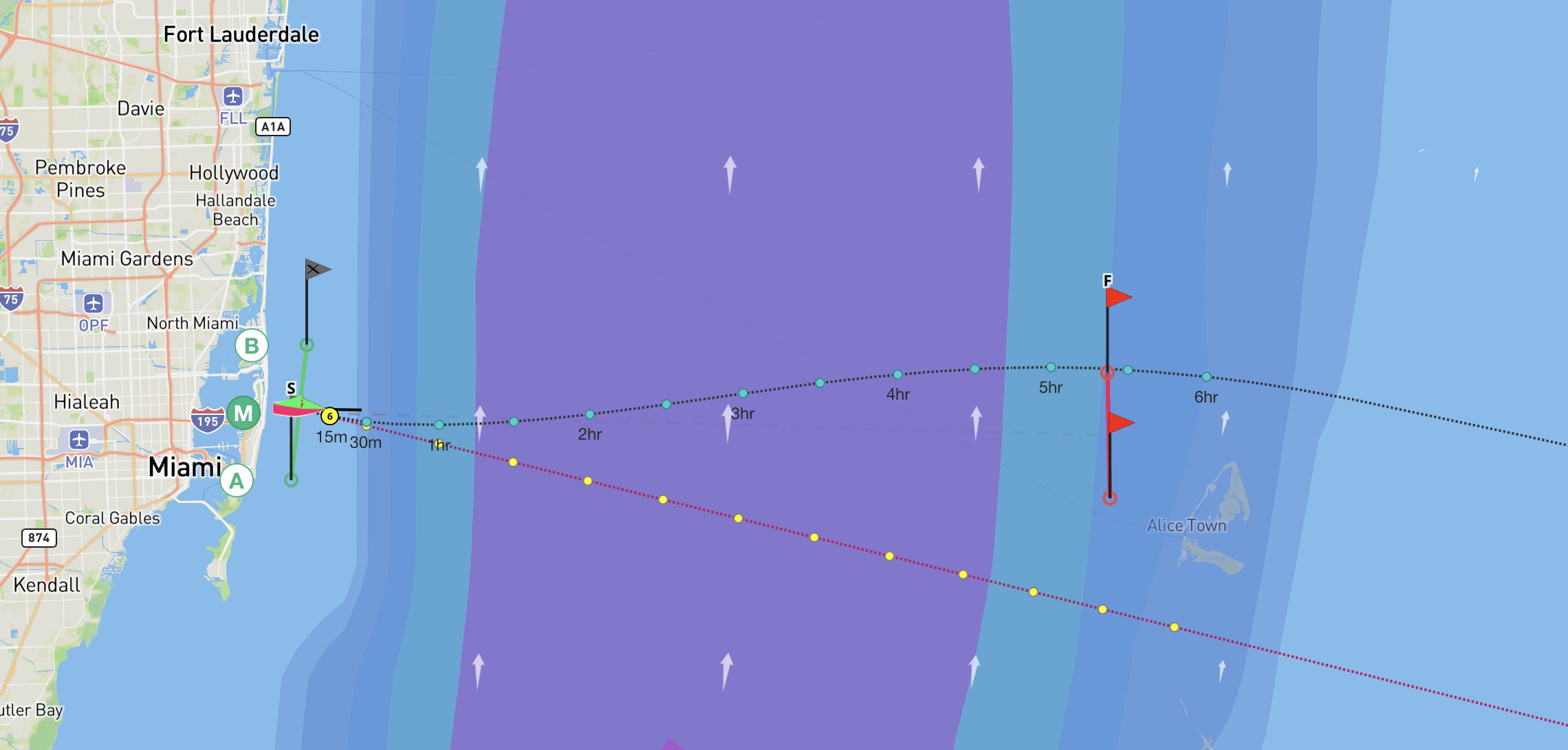
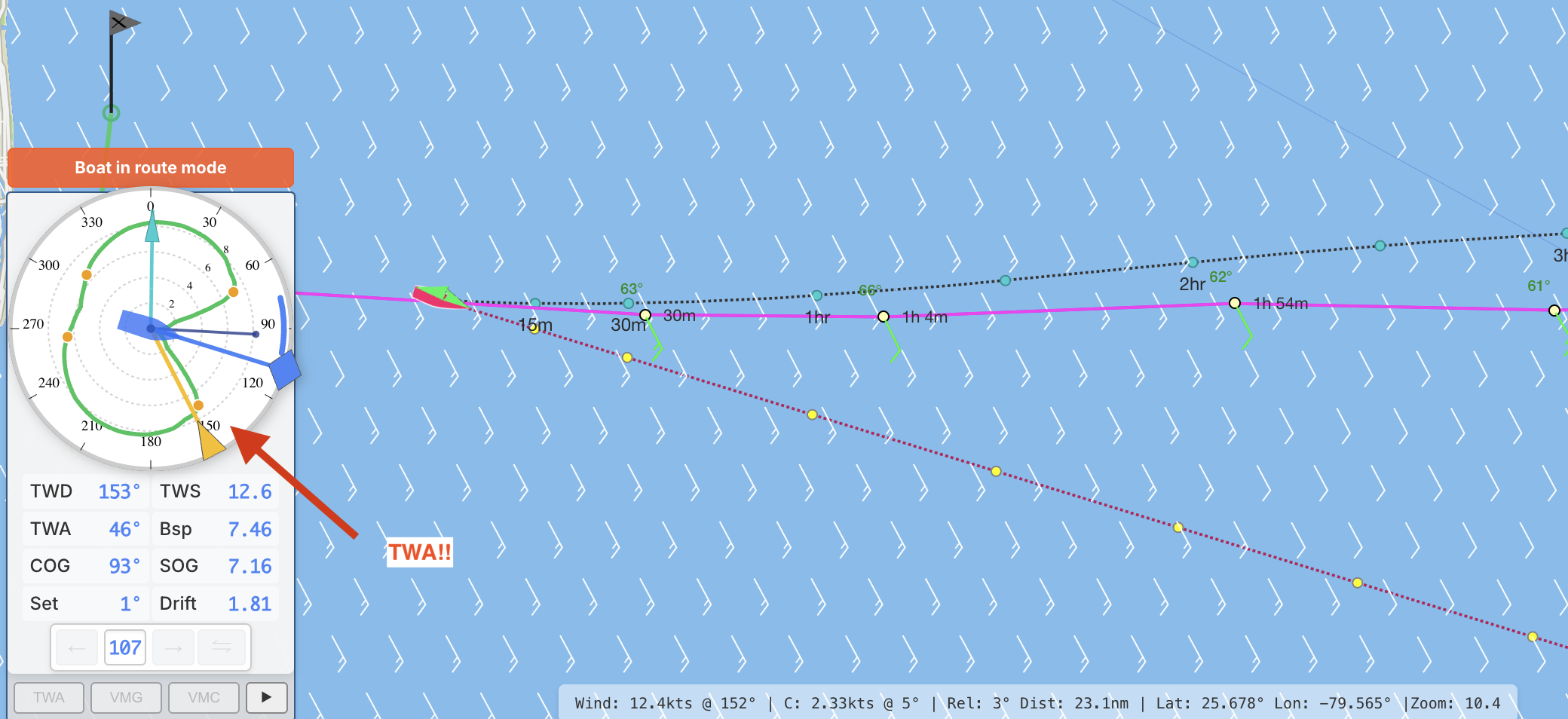
Here's an extreme example example again. The Gulf Stream is so strong that the boat must point 20° higher than normal to reach the destination.
Route Line ≠ Heading
The route line shows the optimal path over ground, not your compass heading.
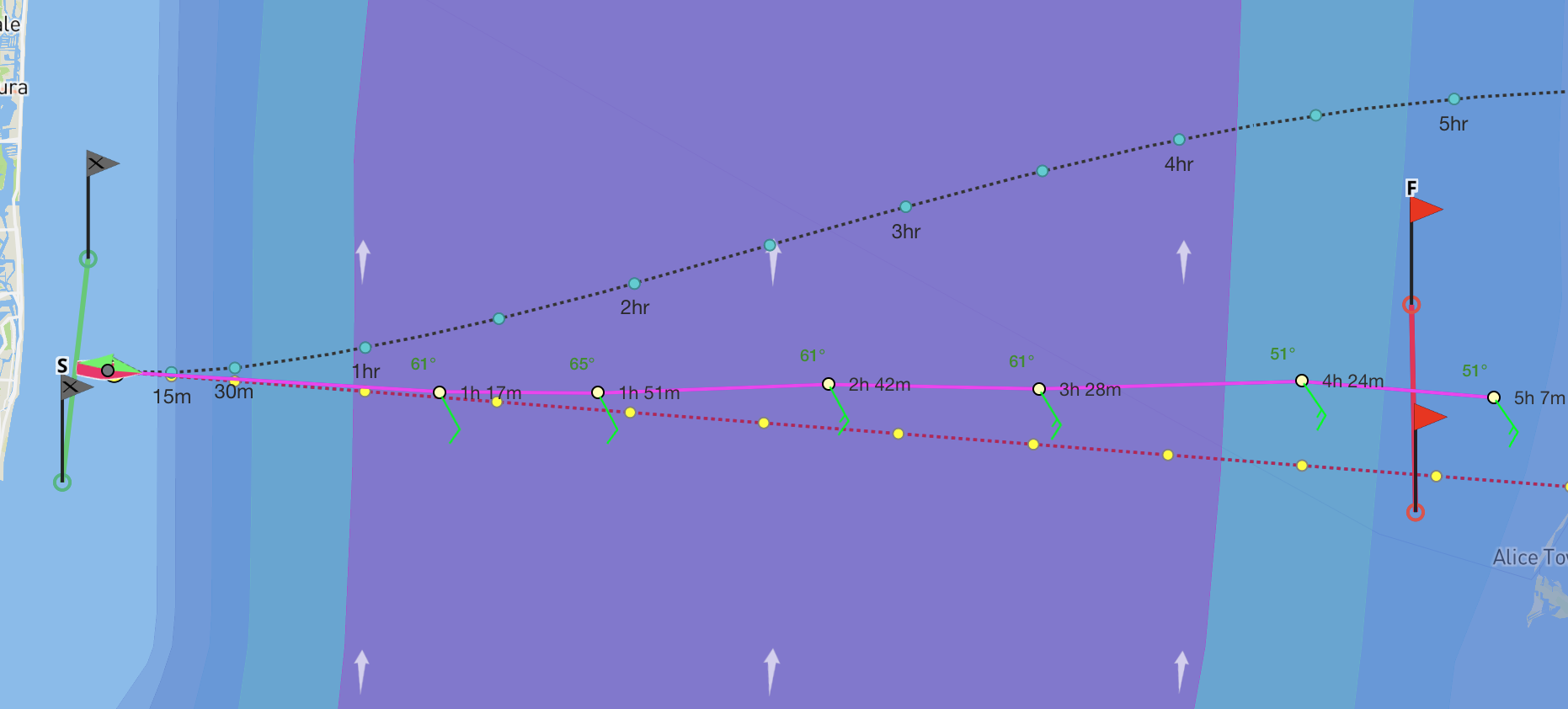
When currents are involved, your boat must point in a different direction than the route line to compensate for the current pushing you sideways. Notice the boat is now following the route line in pink:
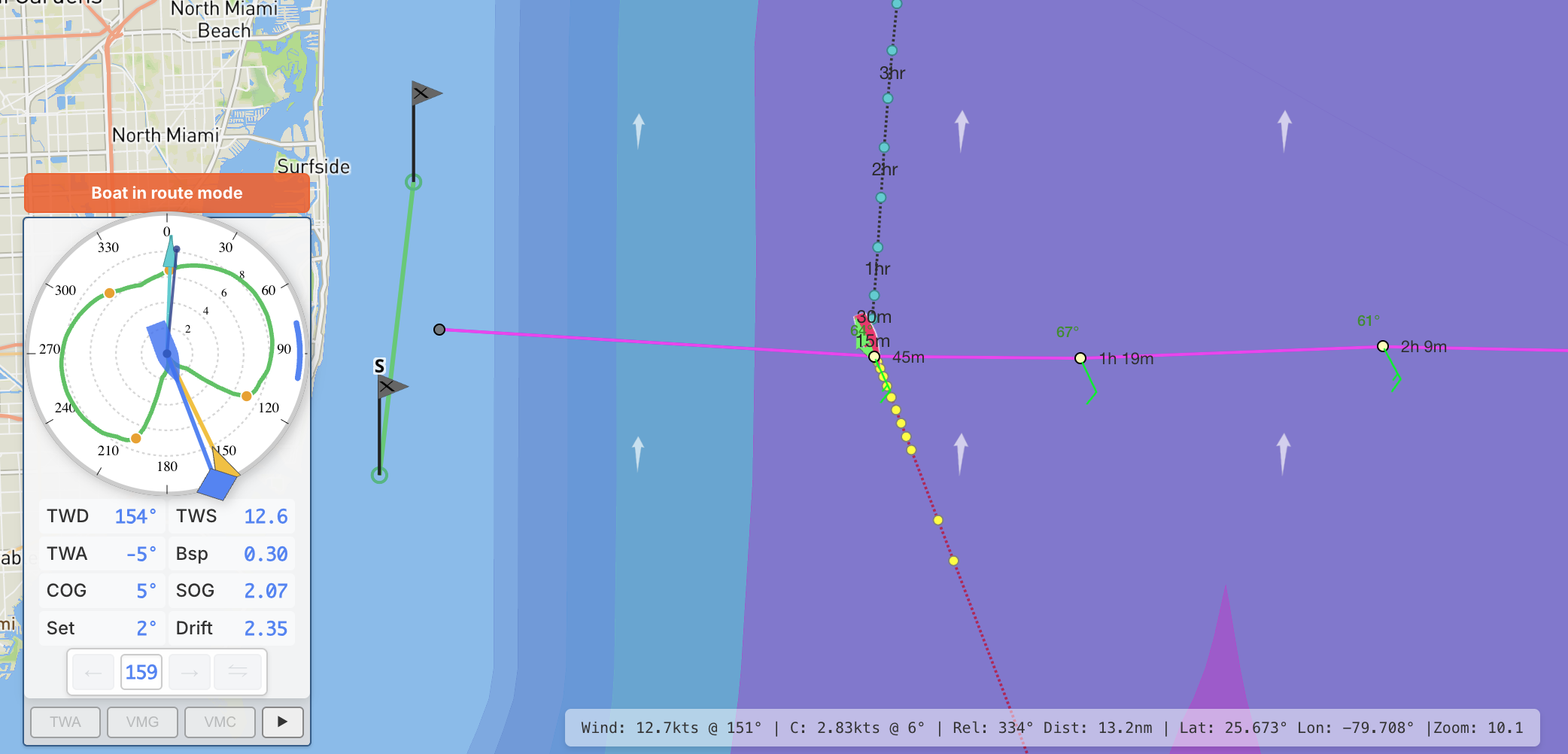
Notice as this boat gets into the current it is going to have to turn more and more upwind to stay 'on the line'. Eventually the current will force the boat to turn more and more into the wind until it cannot make the route anymore. This is seemingly easy route is a bad route. The boat cannot steer upwind anymore at a certain point to compensate for the current and the wind angle.
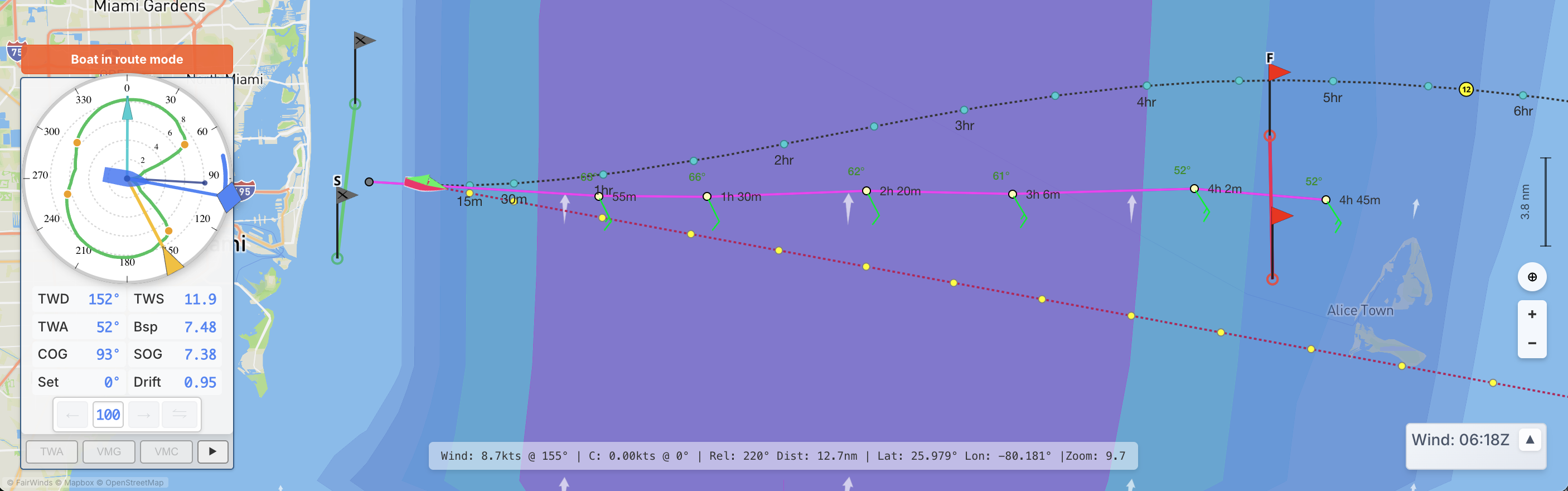
The stronger the current, the more the boat tries to turn into the wind to try to make the next waypoint heading but it cannot go higher than VMG and it spins into the wind. As soon as the boat speeds drops to zero the current overwhelms and pushes the boat further downstream. The boat will never recover as it tries now to turn even more towards the mark. It is because the route is impossible to achieve.
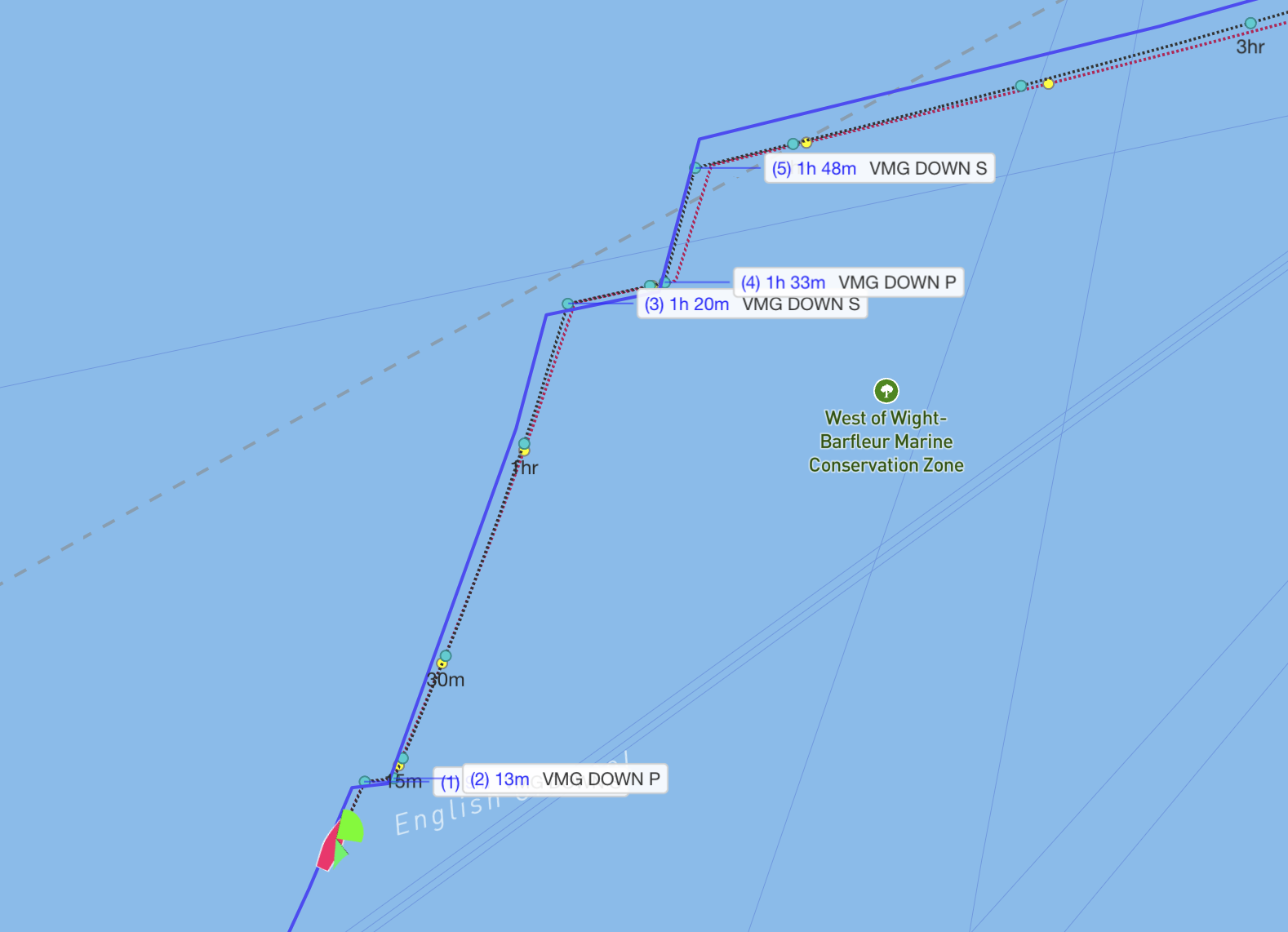
Avoiding the 'spin out'
- Run your route but program scheduled waypoints with fixed TWA/VMG. This way your boat will not force a heading, it will follow the wind direction.
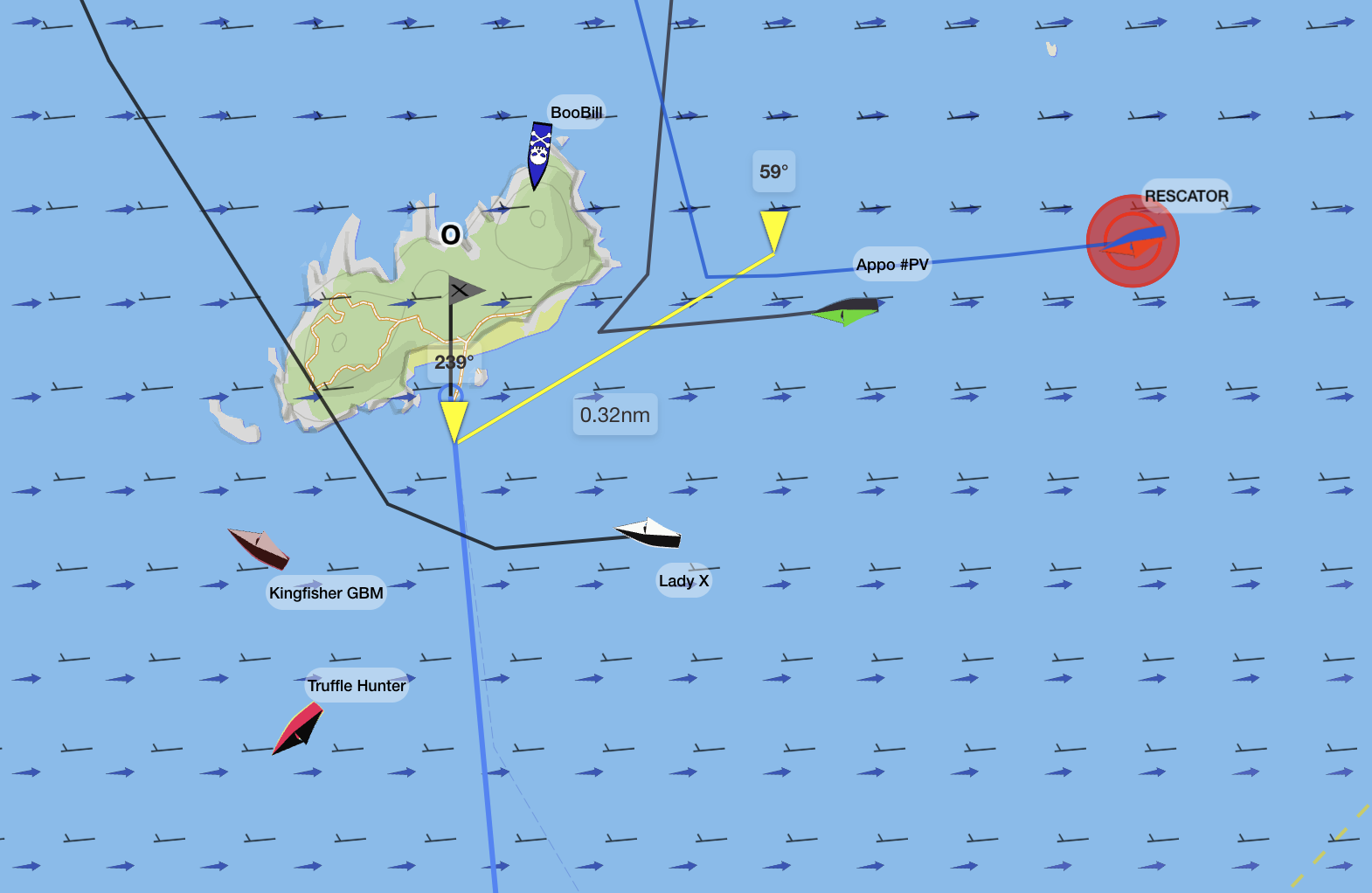
- CAUTION: anytime you are in light winds with the current and the wind in the same direction, BEWARE. If your route is not set perfectly, it is a recipe for the boat not being able to make the next mark . This situation in La Manche caused many boats to spin out because they did not update their route through a forecast cycle. The new wind made their heading 30° TWA and the boats could not compensate to make it.
Tips for Success
Start Simple
- Begin with races in moderate current regions
- Practice with the English Channel before tackling the Gulf Stream
Check Your Compensated Heading
- After activating a route, verify your heading makes sense
- If you're pointing more than 60° from your destination, investigate
Use Reference Routes
- Keep your router-generated route as a reference
- Create manual waypoints based on what you learn
Monitor Grib Cutovers
- Remember: forecasts update every 6 hours (00, 06, 12, 18z)
- Currents can change significantly with new data
- Your compensated heading may need adjustment
Common Mistakes
1. Ignoring the Reckoning Line
Problem: Following the route line with your heading instead of letting FW compensate
Solution: Activate the route and trust the compensated heading
2. Head-to-Wind Routes
Problem: Router suggests a path that requires pointing into the wind
Solution: Add intermediate waypoints or adjust your route strategy
3. Not Loading Currents
Problem: Routing with wind only in a current region
Solution: Always load both wind AND current GRIBs for current regions
4. Forgetting Forecast Updates
Problem: Currents change at grib cutover but route isn't updated
Solution: Re-run your route after major forecast updates
Key Takeaways
- Route line = path over ground, not your heading
- Load both wind AND current GRIBs from fairwinds.world/wind
- Easy mode: Let FW calculate compensated heading automatically
- Medium mode: Use scheduled waypoints for full control
- Never route head-to-wind in strong currents
- Be patient - currents add significant complexity!