NMEA & AIS Tracking
FairWinds broadcasts your boat's position and navigation data as a live NMEA 0183 feed over TCP. This lets external routing tools like QTVLM and Expedition connect to your virtual boat exactly as if it were a real instrument.
What is NMEA?
NMEA 0183 is the standard protocol that sailing instruments use to talk to each other — the same format your chartplotter, GPS, and wind instruments use on a real boat. By streaming NMEA sentences over a TCP connection, FairWinds lets external routers treat your virtual boat as a live vessel: they receive your position, speed, heading, and course over ground updating every minute.
This means you can run a full routing session in QTVLM or Expedition — with your own polars, tide tables, and routing algorithms — driven entirely by your FairWinds race position.
Sentences Broadcast
| Sentence | Description |
|---|---|
$GPGGA |
GPS fix data — position, altitude, fix quality |
$GPRMC |
Recommended minimum navigation — position, speed, COG |
$GPVTG |
Track made good and ground speed |
$GPGLL |
Geographic position — latitude and longitude |
Connecting
Your connection details are found on the Race Detail page under Setup, or at /race/[id]/nmea once you are registered.
| Setting | Value |
|---|---|
| Host | nmea.fairwinds.world |
| Port | Assigned per boat, per race — shown on your race detail page |
| Protocol | TCP |
| Format | NMEA 0183, UTF-8 / ASCII |
| Update rate | 1–10 seconds recommended |
Your port is unique to your boat and is reassigned each race. Crew members share the same port as the boat they are sailing on.
NMEA is not available in No GPS races — the whole point is navigating without instruments.
Access
- Pro subscribers — NMEA included on all races.
- Practice races — free NMEA access for everyone.
- Paid races — can be unlocked for 1 credit per race from the Race Detail page.
- Special events - usually free for all participants
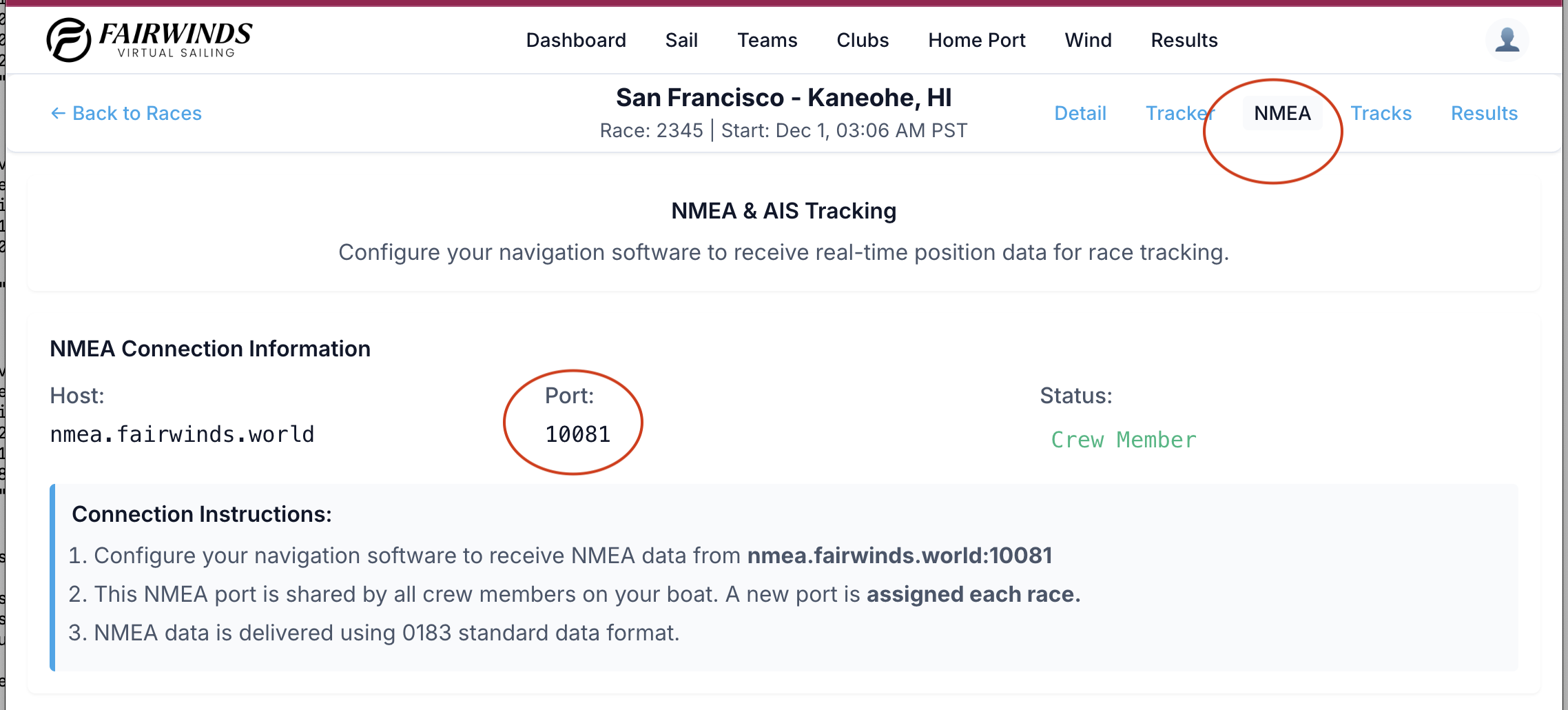
Your Port assignment
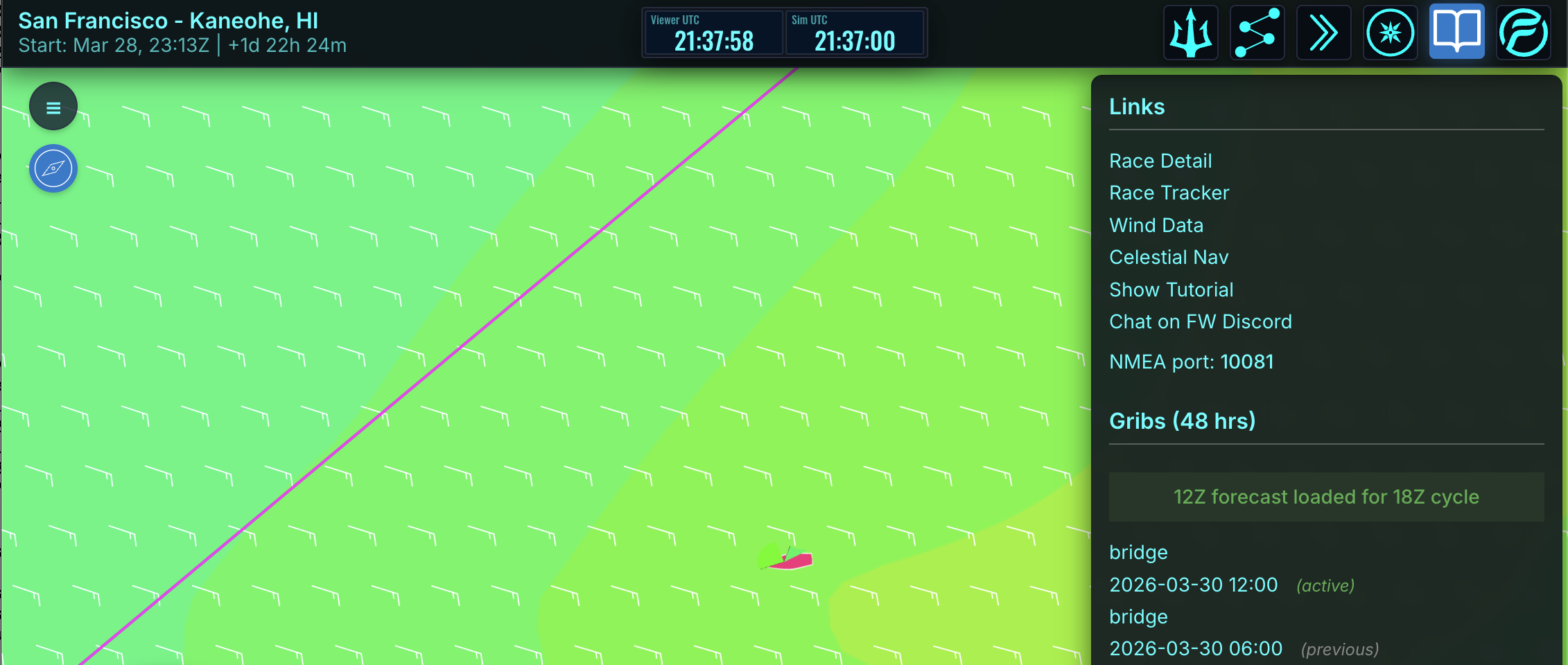
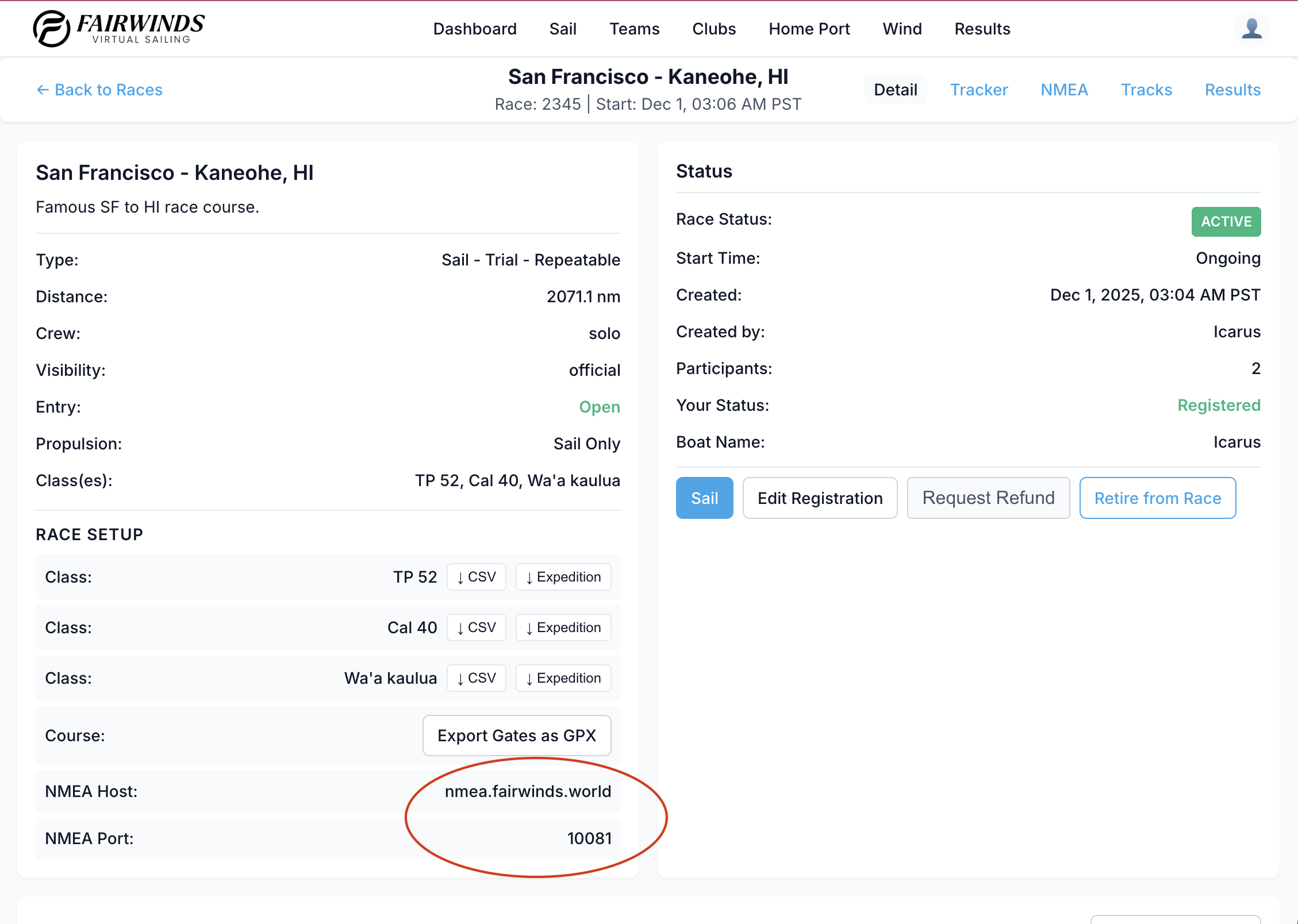
If enabled, your NMEA port is assigned per race and can be found in several places. Remember this is UNIQUE to your boat and the specific race and changes each race.
-
In the race viewer in the Nav menu
-
In the race detail page /race/##/detail
-
In the race nmea page /race/##/nmea
QTVLM Setup
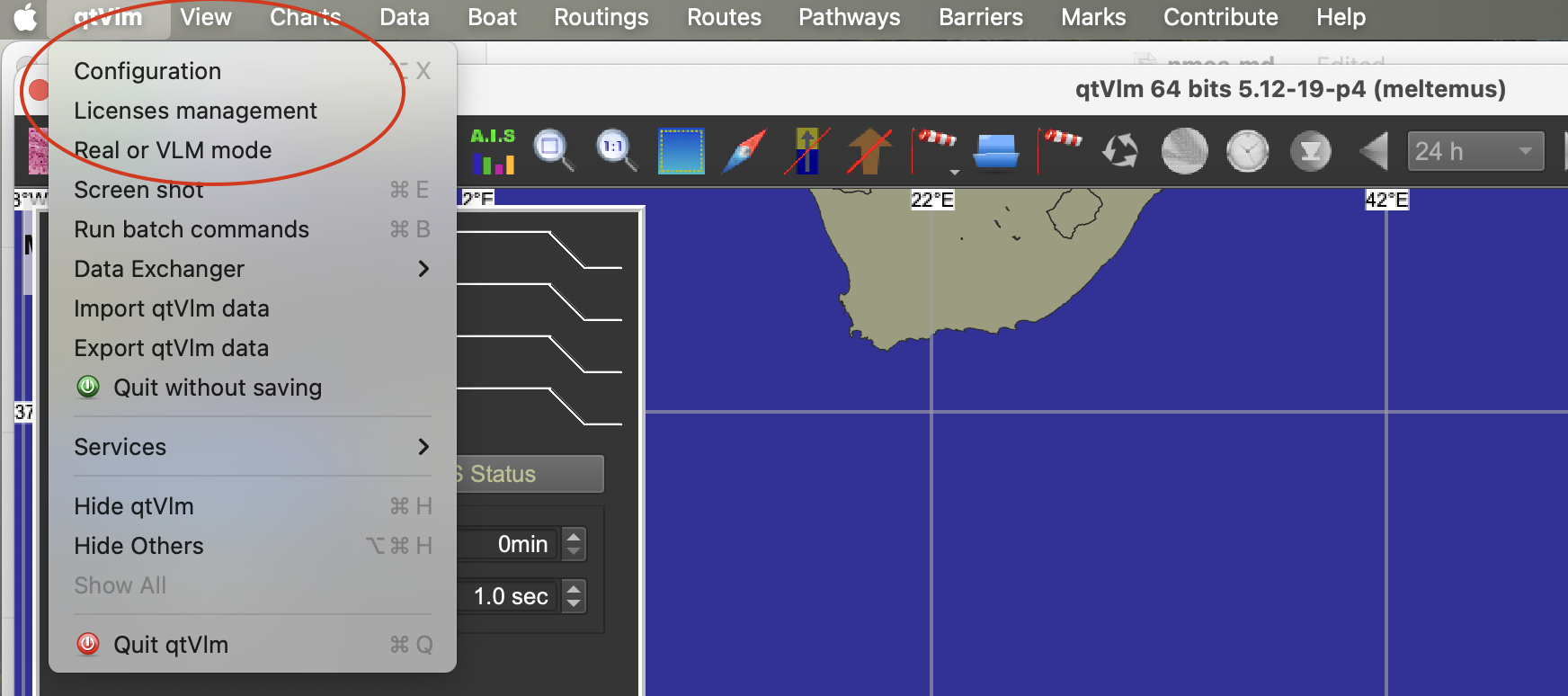
In QTVLM
-
Go to the top menu 'Configuration' to open the configuration panel
-
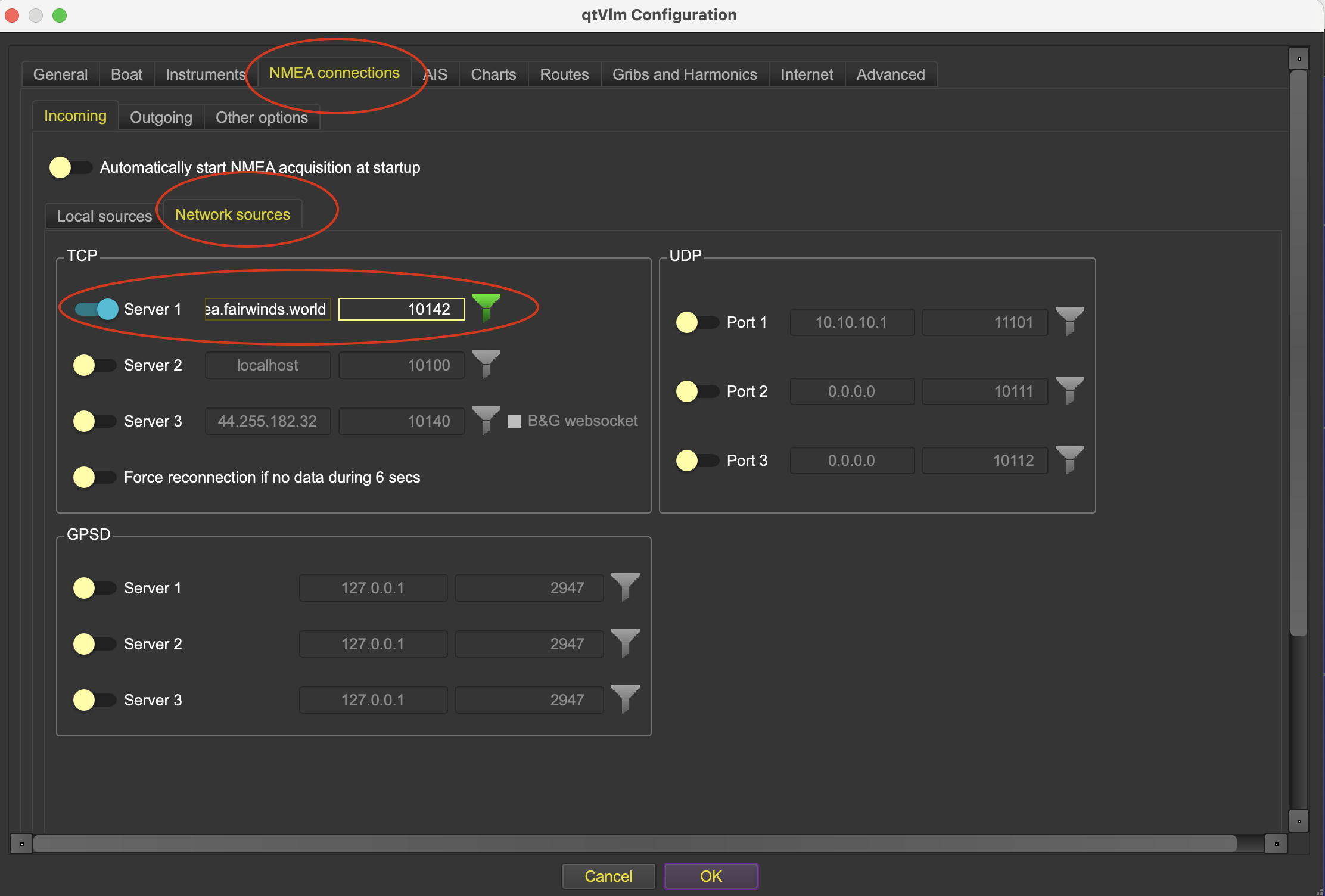
NMEA Connections -> Network Sources (tab) -> TCP
Expedition Setup
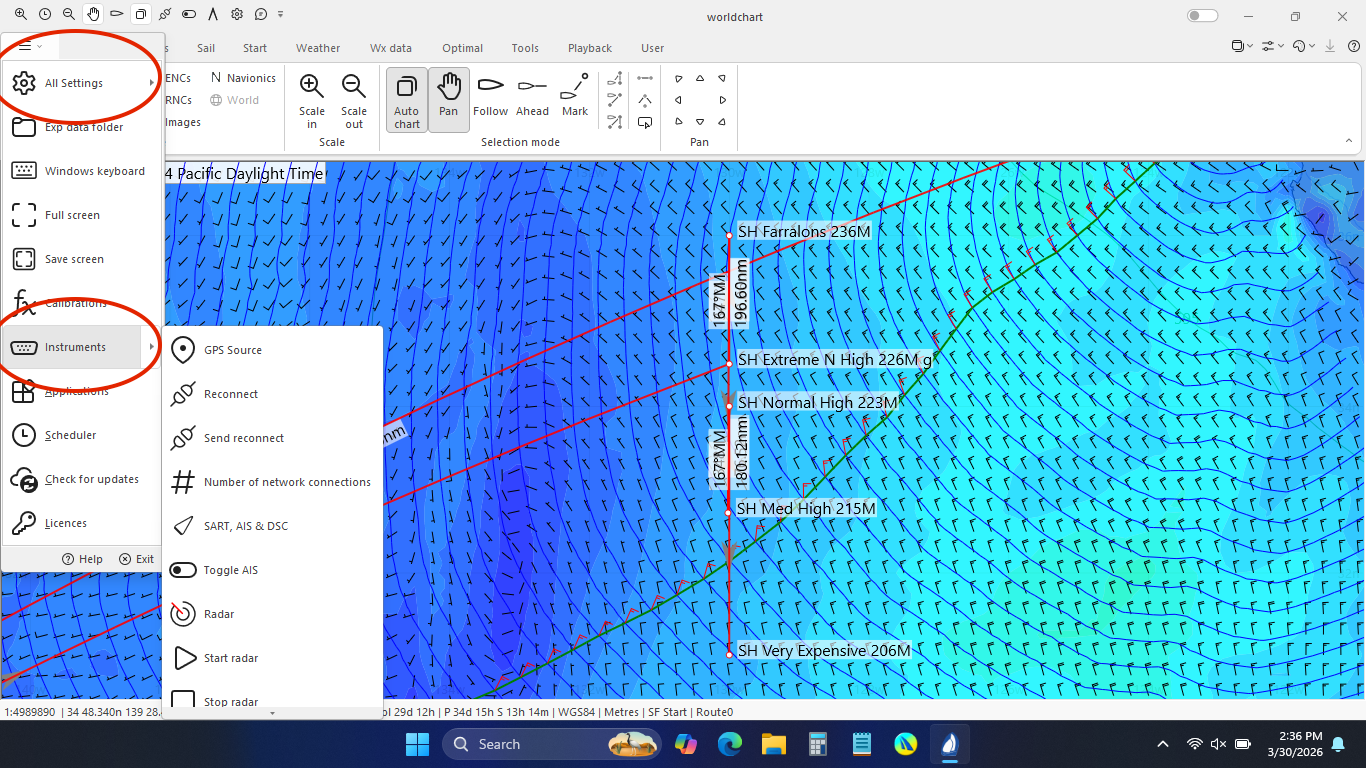
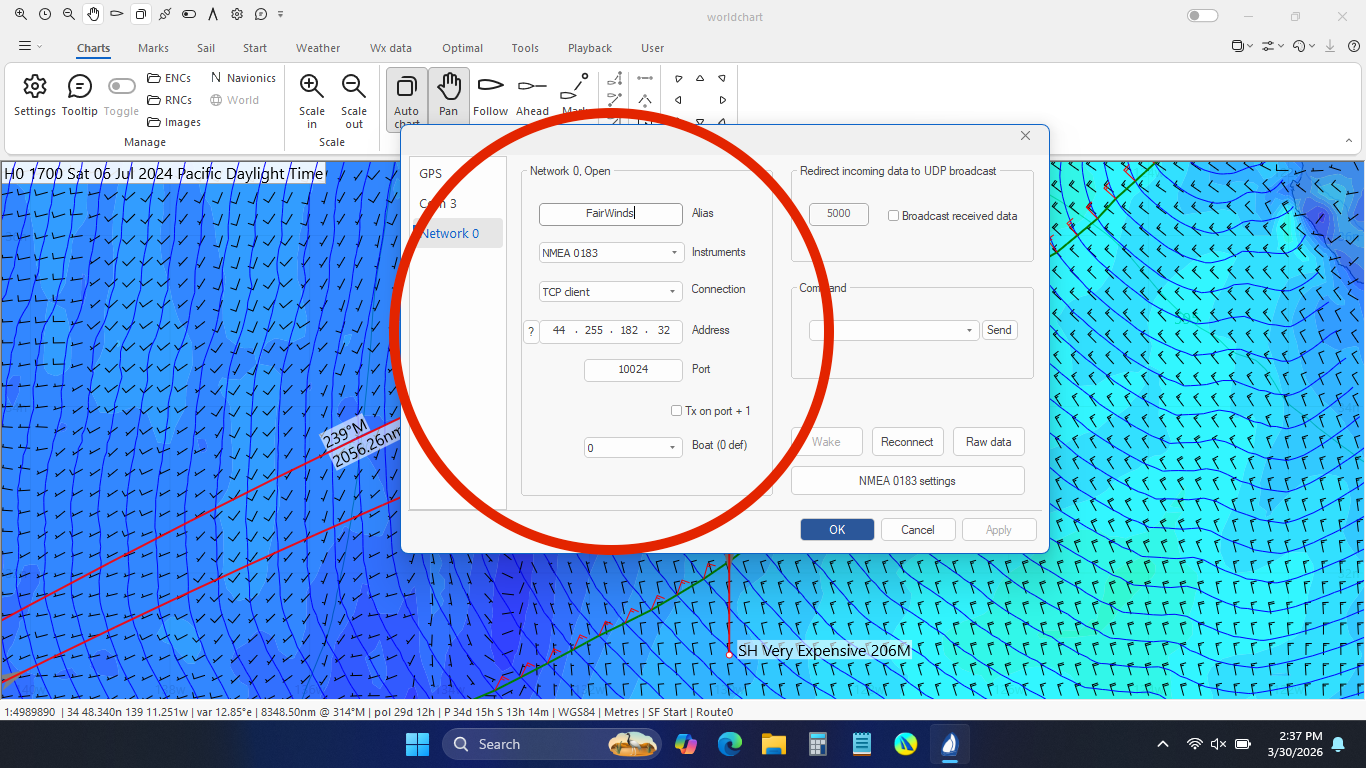
In Expedition if you go to the All Settings -> Instrument
- Instruments ''NMEA 0183"
- Client: "TCP Client"
- Address: 44.255.182.32 (this is the ip address for nmea.fairwinds.world)
- Port: Your designated race port (e.g. 10001)