The Daily Navigation Cycle
Get the hang of the loop first. Detail comes later.
← Back to Celestial Navigation
Celestial navigation in FairWinds is the same short loop, repeated every day. You do not need to understand every abbreviation on a sight card to start — follow the cycle.
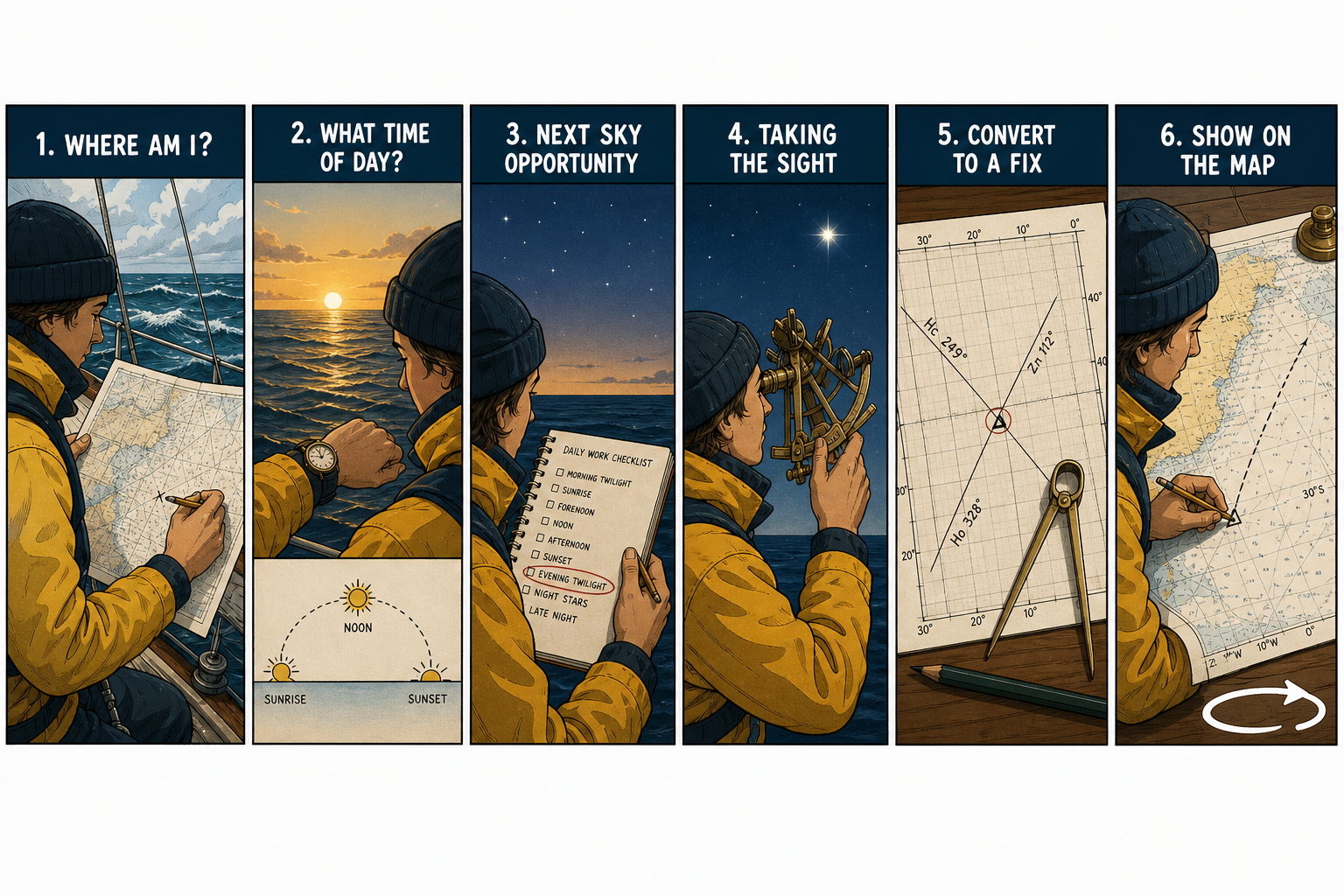
The loop — then it starts again from your new fix.
-
Where am I? — This is why you take fixes and make reckoning positions from them. At the start you know exactly where you are. But as you go along you use your last known good fix as a reference, or use a projected estimated position (called a dead reckoning position) as your starting point. Keeping track of where you are is the first starting point.
-
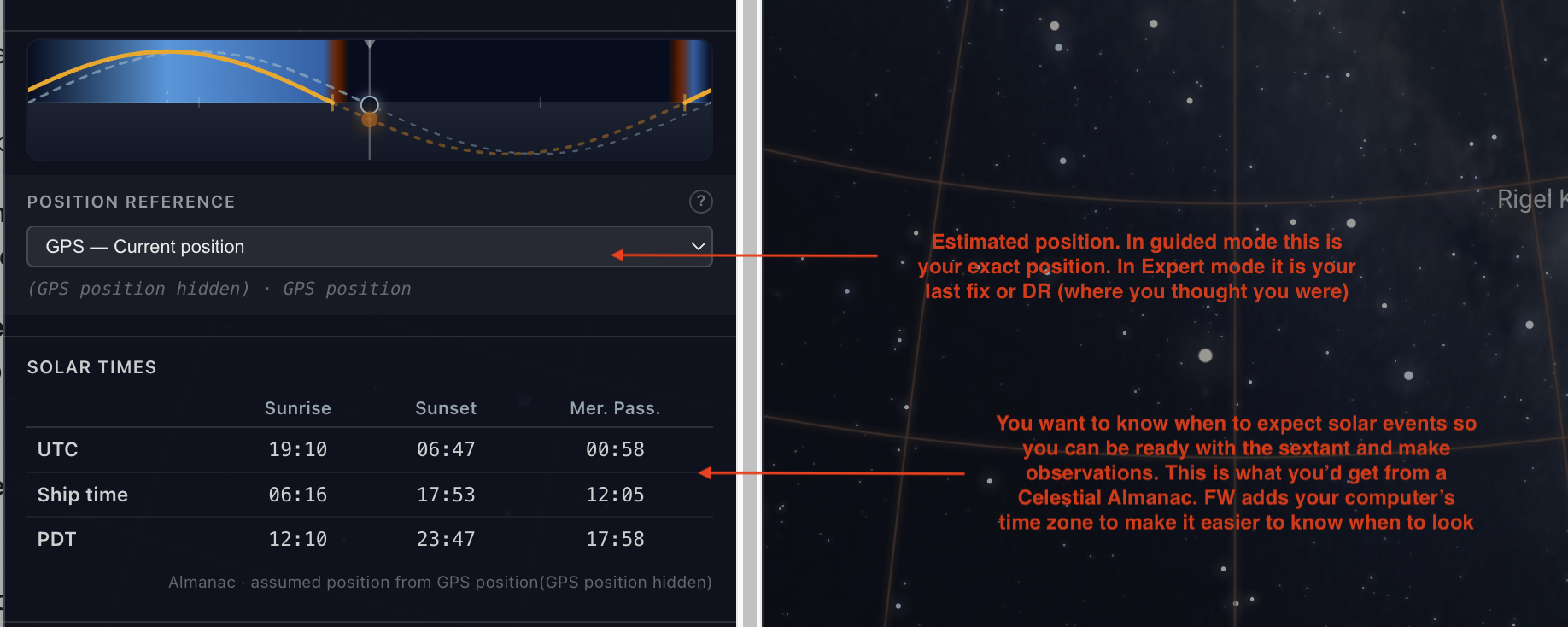
What time of day is it? — In FairWinds, the sky tool is connected to your boat's position so you can visually check. But you can see what time of day it is above the solar table. Check the clock (UTC / ship time) and Solar Times in the Workbook — Sunrise, Sunset, Mer. Pass. Those times are computed from where you think you are. They are exactly what you would get from looking up in a celestial almanac.
-
Next opportunity to use the sky — There are many opportunities to use celestial objects throughout the day. Each type of 'fix' has a slightly different technique using sun, planets, stars. Open the Daily Schedule. It highlights the next useful window — twilight stars, sunrise lon, morning sun, noon, afternoon sun-run, sunset lon, evening stars.
The absolute easiest fix to do is to take a sun-run fix. Take a sight on the sun anytime in the morning. Then take another sight in the afternoon. Then use the worksheet to combine your sights into a fix after you make the second one. This is demonstrated in the video above.
-
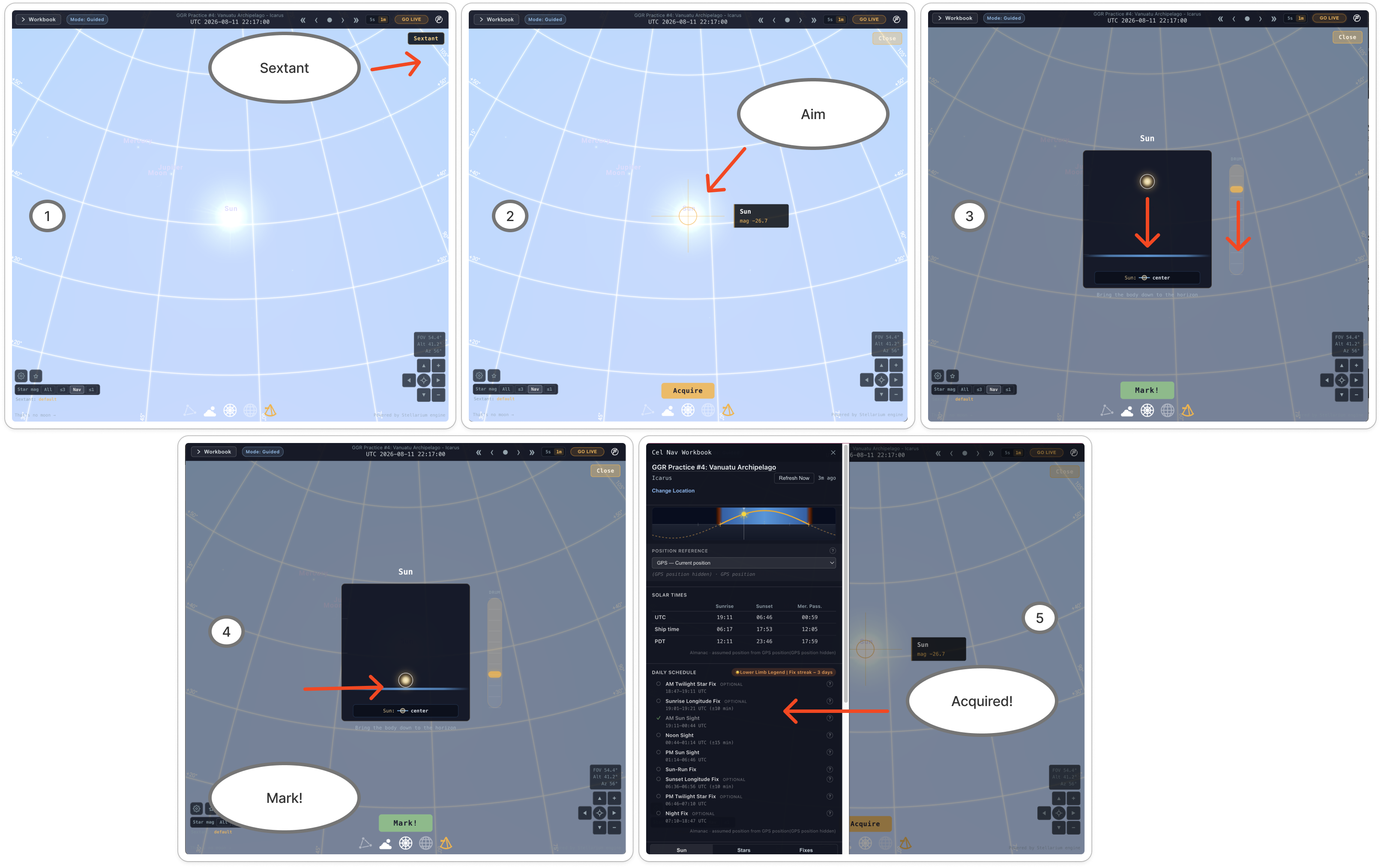
Taking the sight — Open the Sextant, acquire the body, align it to the horizon, Mark! and Save. Sun work lives on the Sun tab; stars on the Stars tab.
-
Converting to a fix — Guided mode does the math: reduce LOPs and Compute Fix (stars), or use the Sun Worksheet (Save to Log for noon / lon / running fix). Expert mode: reduce externally, then Enter Fix on the Fixes tab. You can see this in the video above.
-
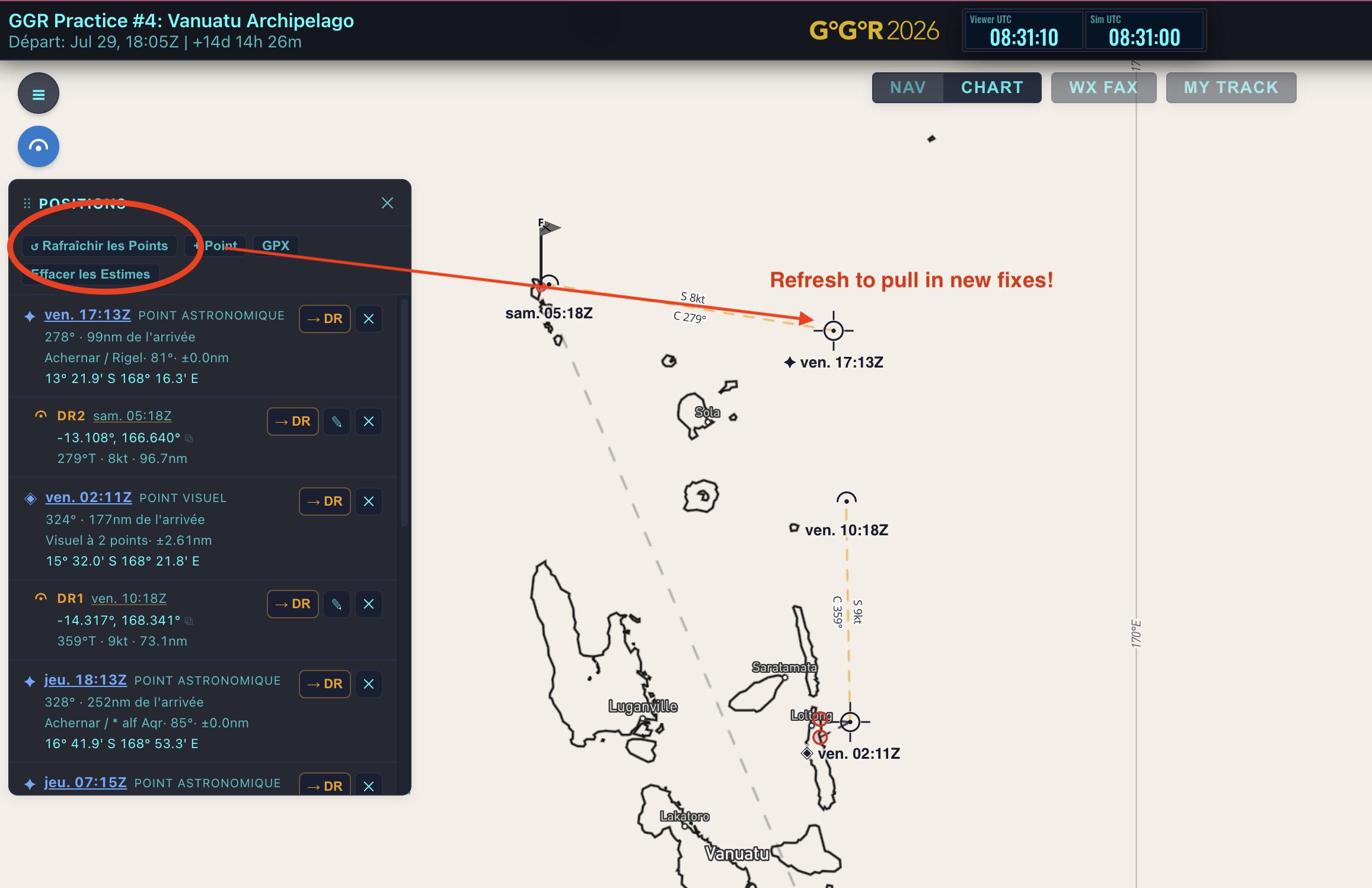
Show on the map — Saved fixes appear in Positions and on the chart. Build a new DR from that fix — that becomes “where am I?” for the next loop.
Where to go next
Once the loop feels familiar:
- The Sky Tool — sextant, Workbook, quality ratings
- Daily Fixes — each schedule step in detail
- Navigation Modes — Guided vs Expert
Watch the video on the Celestial Navigation page first if you have not already — it walks this cycle on screen.