Navigation Basics
Two things to understand before anything else: the compass and the reckoning line.
The Compass
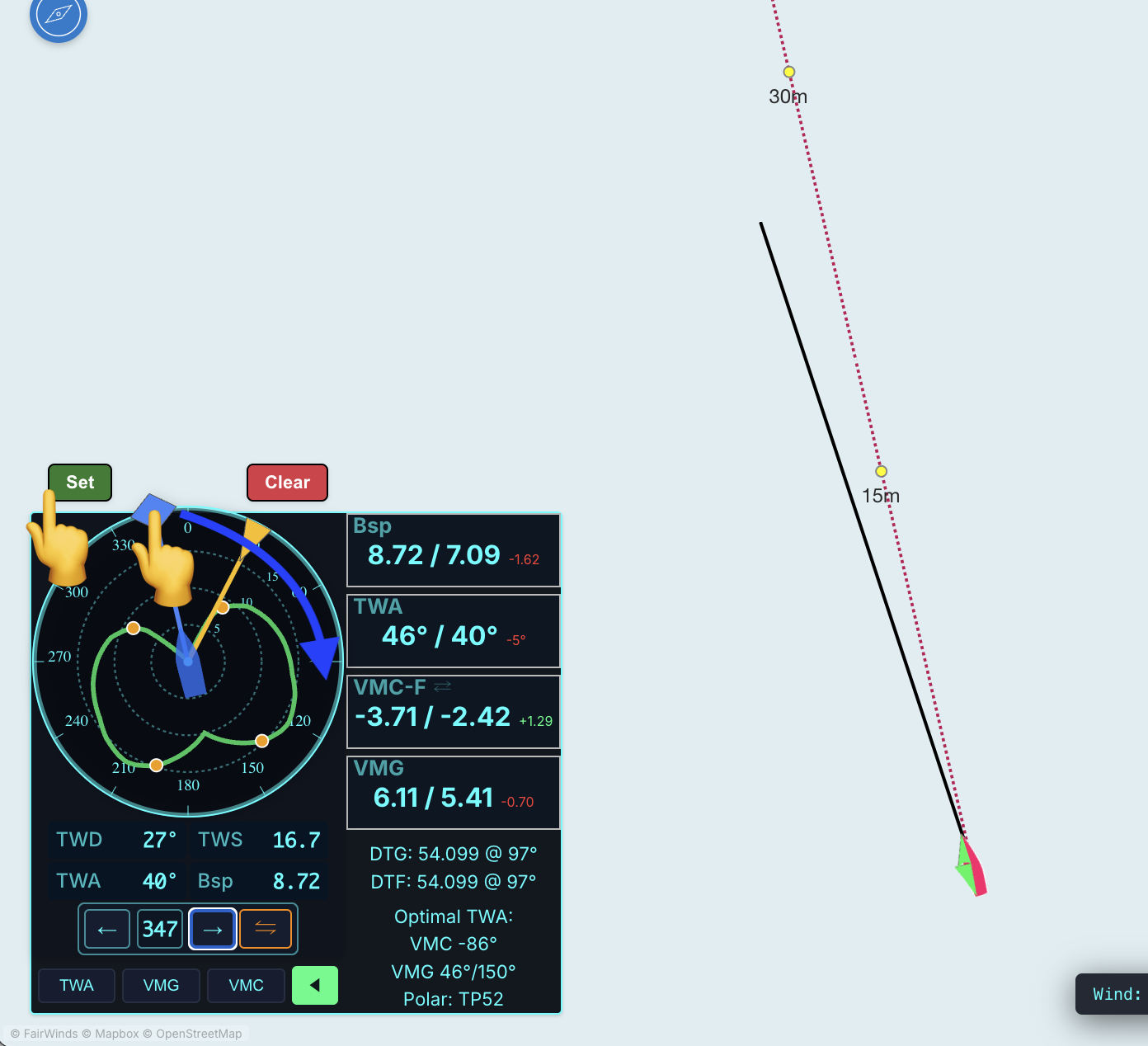
The compass controls your boat's heading. You have two ways to change course:
- Press the ← and → arrow keys to nudge your heading left or right
- Click and drag the blue diamond on the compass rose
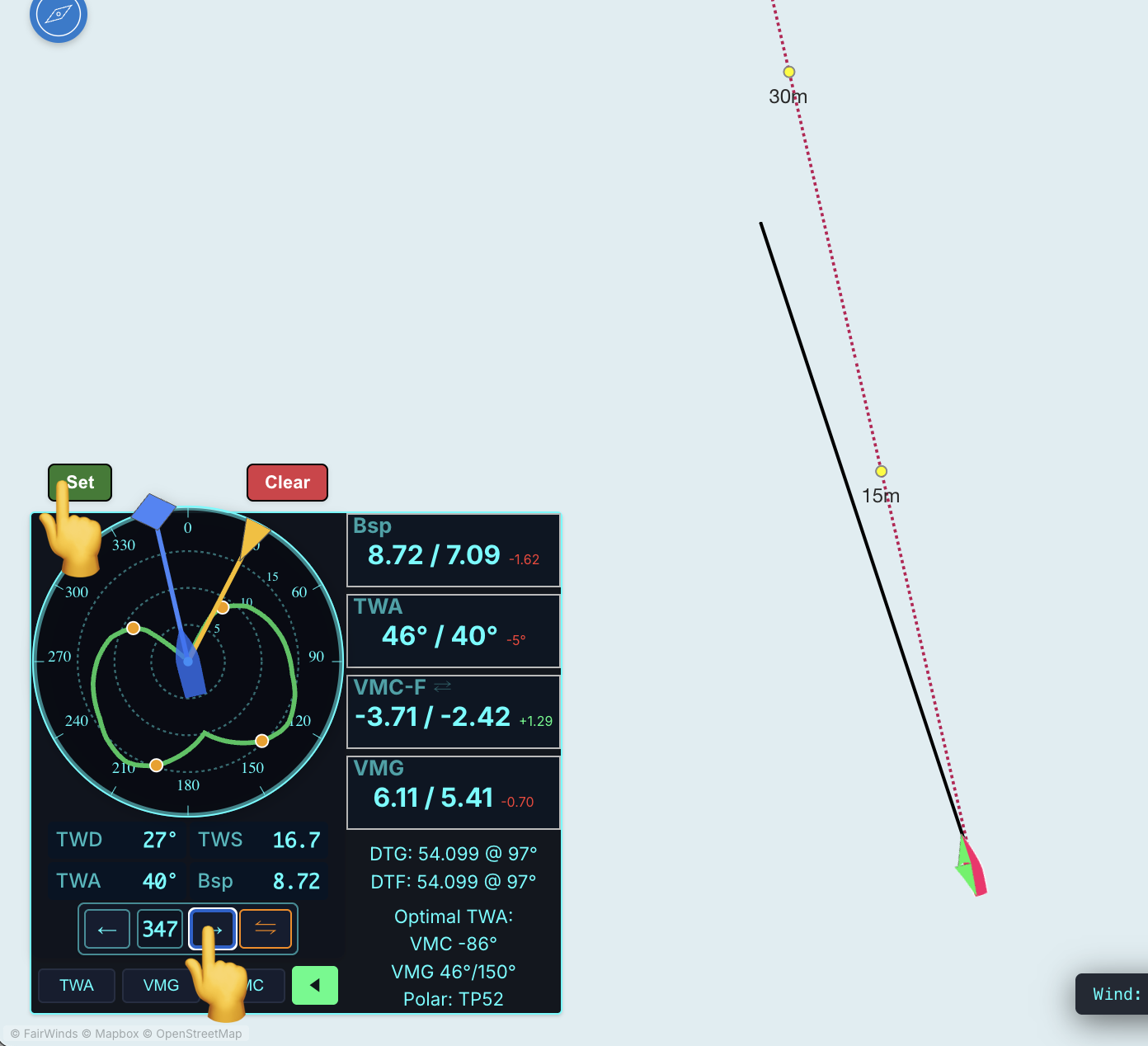
Important: your boat won't actually change course until you hit the 'Set' button. This means you can freely experiment with a new heading and see where it takes you before committing.
Or click on the arrows. Your course is not changed until you press 'Set'
The Reckoning Line
The reckoning line is the projected path of your boat — where you will actually go based on your current heading and the wind.
You can toggle the visiblity of the line on & off here
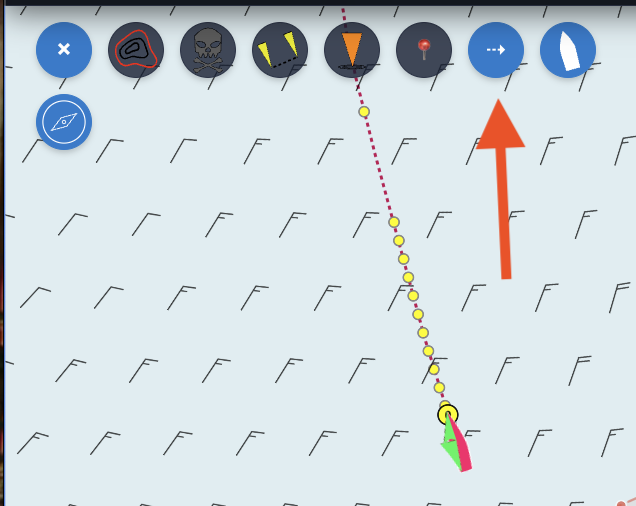
The line is very precise. It uses the wind speed, wind direction, and boat polar angle to calculate the boat's position on a rolling per minute basis, and updates each simulator cycle.
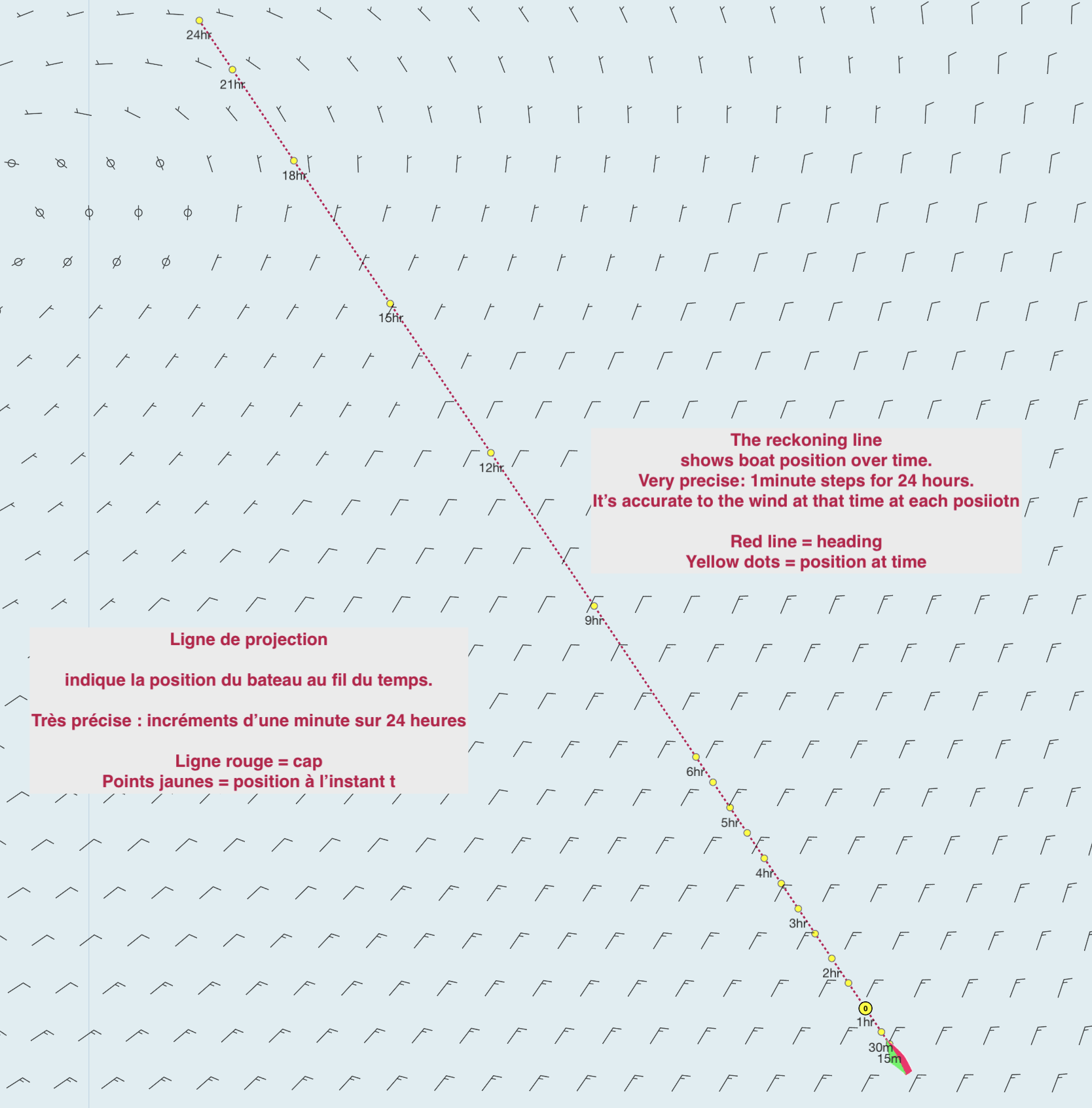
A few things worth knowing early on:
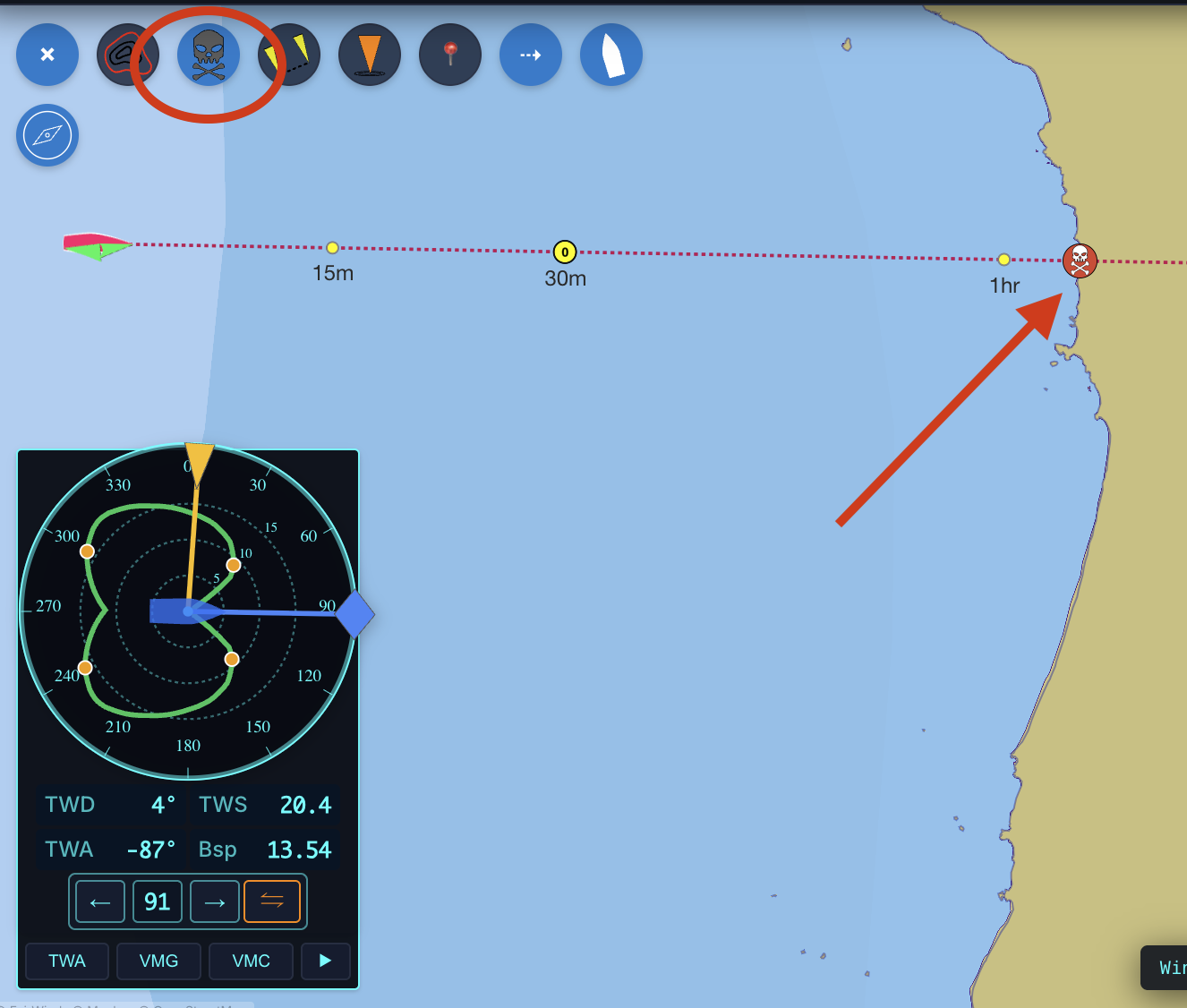
- Crash detection follows the reckoning line, not your route line. If your reckoning line is clear, you are safe. Crash detection is 'ON' when you click on the skull
-
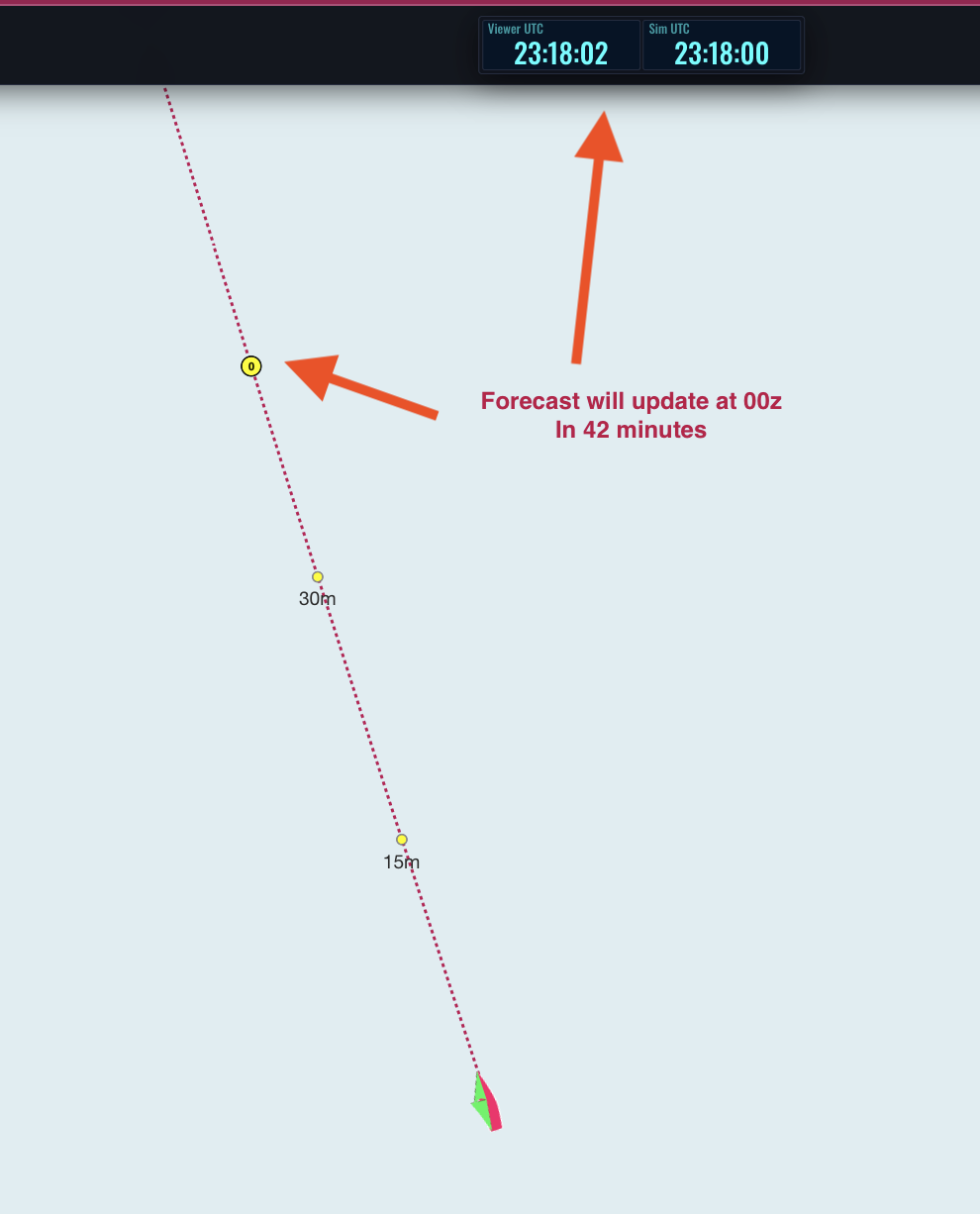
The yellow circle - this the time that the forecast will update. This is important if you are planning your course and you want to know when the wind speed or angle may change your projected heading. In this image, the forecast will update at 00z (0000 UTC). Change it to show local time by simply clicking on the clock.